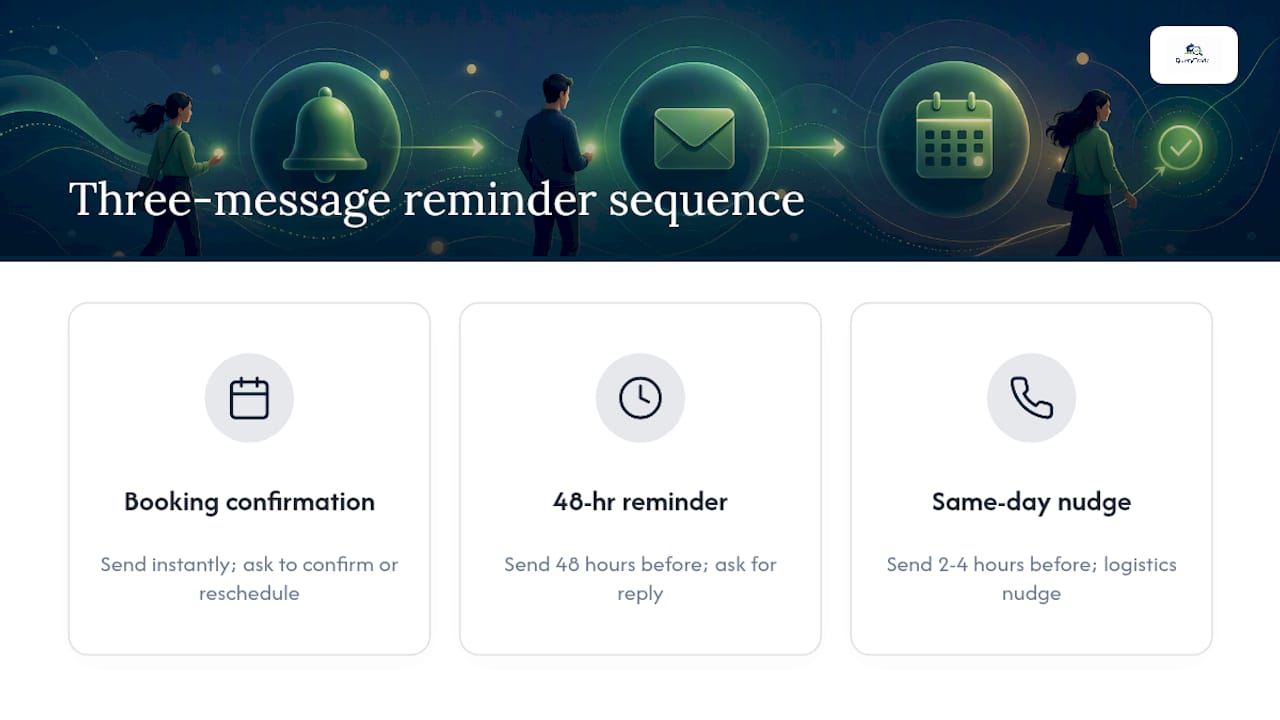
The best appointment reminder system is a three-message sequence: a booking confirmation the moment someone books, a reminder 48 hours out, and a same-day logistics nudge two to four hours before. Each message needs one job and one clear call to action.
Here's the whole thing in miniature. Text: "Hi Sarah, confirming your haircut with Glow Studio on Thu 3/12 at 2:00 PM. Reply C to confirm or R to reschedule." Email subject: "Your appointment is confirmed for March 12." Both do the same work in different formats: they remind, they clarify, and they ask for a response instead of just broadcasting information.
The timing matters as much as the wording. Send the confirmation instantly, the reminder at the 48-hour mark, and the final nudge same-day. This spacing catches people at the three points where they're most likely to forget, double-book, or need to reschedule, and a three-message cadence consistently shows up as the sequence that delivers the biggest drop in missed appointments. Everything past this point is detail: which words to use, which channel fits which client, and how to automate the whole thing so you're not typing texts at 9 PM.
Key Takeaways
A short three-message sequence, confirmation, 48-hour reminder, same-day nudge, with a single clear CTA, cuts no-shows more reliably than any single reminder sent alone.
| Point | Details |
|---|---|
| Use the three-message cadence | Send confirmation at booking, a reminder 48 hours out, and a logistics nudge 2 to 4 hours before. |
| Keep every message actionable | One CTA, reply C to confirm or R to reschedule, turns silence into a signal you can act on. |
| Match channel to the client | Use SMS for speed, email for details and attachments, calls for high-value or repeat no-show clients. |
| Respect consent and opt-outs | Collect opt-in at booking, honor STOP instantly, and keep reminders transactional rather than promotional. |
| Automate with the right tool | Query Trade pairs auto-replies, instant notifications, calendar sync, and Stripe deposits in one pipeline for tradespeople. |
Table of Contents
- Ready-to-use SMS text message templates
- Email reminder templates and when to use them
- Phone and voicemail scripts for high-value appointments
- When to send reminders: timing and cadence
- What every reminder needs, and what to leave out
- Adapting templates for your industry
- Building a simple automation workflow
- How Query Trade automates reminders for tradespeople
- Privacy, consent, and opt-outs before you hit send
- Start with one service line before you automate everything
- Try Query Trade to put reminders on autopilot
- Sources
Ready-to-use SMS text message templates
Text messages get read fast, which is exactly why they work so well for appointment reminders. SMS reminders carry very high read rates and cut no-shows hardest when the message is short and gives the recipient one obvious action to take. Keep every template under 160 characters where you can, and always include your business name, the date and time, and a single CTA.
Booking confirmation (sent instantly):
- "Hi [Name], your appointment with [Business] is booked for [Date] at [Time]. Reply C to confirm."
- "Thanks for booking with [Business]! We'll see you [Date] at [Time]. Questions? Call [Phone]."
48-hour reminder:
- "Reminder: your appointment with [Business] is in 2 days ([Date] at [Time]). Reply C to confirm or R to reschedule."
- "Hi [Name], just checking in ahead of your [Date] visit with [Business]. Still good for [Time]?"
Same-day logistics (2 to 4 hours before):
- "See you soon! Your [Business] appointment is today at [Time]. [Address/parking note]."
- "Today's the day, [Name]. [Business] at [Time]. Reply if anything's changed."
Reschedule or cancel:
- "No problem, [Name] — here's a link to pick a new time: [link]. We'll hold your file open."
- "Sorry to see you cancel. Want to rebook now? Text back a day that works and we'll lock it in."
Payment or deposit reminder:
- "Hi [Name], your [Amount] deposit for [Date]'s appointment is due by [Deadline]. Pay here: [link]."
- "Friendly reminder: your balance of [Amount] is due at your [Date] visit with [Business]."
Pro Tip: Reply codes turn a passive alert into an active confirmation. "Reply C to confirm" gives you a paper trail and lets you spot a no-show risk 48 hours out instead of finding an empty chair at 2:00 PM. Silence after a reminder is a signal worth following up on, not ignoring.
Email reminder templates and when to use them
Email earns its place when there's more to say than a text can hold. Longer instructions, intake forms, invoices, or a map link all belong in an inbox rather than a text thread, since reminder emails work best with short, specific subject lines and the logistics front-loaded in the first couple of sentences. A subject line like "Appointment reminder: Thursday at 2:00 PM" beats anything vague or clever. People scan subject lines in half a second; give them the date and time before they even open it.
Timing depends on the type of appointment. A one-off service visit does fine with a single reminder 24 to 48 hours out. An event, workshop, or multi-person booking benefits from two touches: one a week ahead and one the day before, a pattern Twilio's own reminder-email guidance backs up directly. Reminder emails cut no-shows most reliably when they stay concise and lead with a clear call to action, not a paragraph of pleasantries before the point.
| Template type | Subject line | Body essentials | Variables to swap |
|---|---|---|---|
| Booking confirmation | "You're confirmed for [Date]" | Date, time, location, what to bring, cancellation policy | [Name], [Date], [Time], [Address] |
| 24 to 48 hour reminder | "Reminder: your appointment is coming up" | Date/time repeated, one-line CTA to confirm or reschedule | [Name], [Date], [Time], [Link] |
| Payment/deposit reminder | "Your [Amount] deposit is due" | Amount owed, due date, payment link, what happens if unpaid | [Amount], [Deadline], [Payment link] |
| Event/multi-day reminder | "One week to go: [Event]" | Agenda summary, parking or access details, contact for questions | [Event name], [Date], [Venue] |
An email that skips the checklist basics, no date, no location, no way to reach you, is worse than no email at all, because it makes the recipient do work they shouldn't have to do.
Phone and voicemail scripts for high-value appointments
Some clients still prefer a voice on the line, and some jobs are worth the extra five minutes it takes to call. First-time clients, high-ticket bookings (a kitchen renovation quote, a wedding consultation), and anyone who's flaked before are good candidates for a live call instead of a text.
- Open with your name and business. "Hi, this is [Name] from [Business], calling to confirm your appointment."
- State the date and time immediately. "You're booked for Thursday, March 12th at 2:00 PM."
- Ask for a direct yes or no. "Does that still work for you?"
- Handle the answer on the spot. If yes, thank them and hang up within 20 seconds. If no, offer two alternative times right there.
- Log the outcome before you move to the next call. Mark it confirmed, rescheduled, or unreachable so you don't send a duplicate reminder later.
If it goes to voicemail, keep it under 20 seconds: "Hi, this is [Name] from [Business]. Just confirming your appointment Thursday at 2:00 PM. Give us a call back at [Number] if that time doesn't work, otherwise we'll see you then." No dead air, no rambling, one clear action.
The habit that saves the most time here isn't the script, it's the logging. A call that goes unlogged means the automated text reminder fires anyway, and now the client's getting double contact for one appointment. That's the kind of small friction that makes people annoyed enough to stop responding altogether.
When to send reminders: timing and cadence
Cadence is where most reminder systems fall apart, either from sending too little (one email a week out and nothing else) or too much (three texts in 24 hours). The pattern that holds up across industries is booking confirmation immediately, a reminder at the 48-hour mark, and a same-day logistics message two to four hours before, and it follows the same three-touch structure, which appears repeatedly in reminder-effectiveness data.
Time zones and business hours matter more than most owners think about until a client texts back at 6:45 AM asking why they got a reminder in the middle of the night. Keep automated sends inside an 8 AM to 8 PM local-time window, and if you serve clients across regions, set your scheduling tool to calculate "local time" from the client's own address or phone area code, not your own office clock.

What every reminder needs, and what to leave out
Every reminder, regardless of channel, needs six things: the client's name, your business name, the date and time (with time zone noted if there's any chance of confusion), the location or a join link, a single clear call to action, and a way to reach you if something needs to change. Miss any one of those and you've created a message that generates a reply asking for the missing piece, which defeats the point of automating in the first place.
Do:
- Keep it to two or three sentences.
- Use the client's first name and specific appointment details, not generic filler.
- Give exactly one action: confirm, reschedule, or pay.
- Honor opt-out requests the moment they come in.
Don't:
- Put health details or diagnosis information in a text message.
- Bury a cancellation fee inside cheerful marketing language.
- Send more than three reminders for a single appointment.
- Apologize for reminding someone about their own booking.
Pro Tip: Keep the tone helpful, not apologetic. "Reminder: your appointment is Thursday at 2:00 PM" reads as a service. "Sorry to bug you, just wanted to check in about Thursday" reads as uncertain, and uncertainty invites cancellation. Save the phone call for anyone who's missed twice; texting a repeat no-show a third time rarely changes the outcome.
Adapting templates for your industry
A salon reminder and a plumber's reminder are solving the same problem with different stakes. A stylist's client forgetting an appointment costs an empty chair. A tradesperson's client forgetting means a wasted trip, fuel, and a slot that's hard to backfill same-day. The wording should reflect that difference.
For salons and spas, add a prep note: "Arrive with clean, dry hair" or "Please skip caffeine 2 hours before your facial." For builders and trades, deposit and access language matters more than styling tips: "Your $150 deposit secures Thursday's slot. Please ensure vehicle access to the driveway." For medical and dental offices, stay generic about the reason for the visit in any text message, since specific diagnosis or treatment details don't belong in SMS. For events, add parking or check-in instructions a week out, then repeat the essentials 24 hours before.
A tradesperson quoting a kitchen renovation isn't just confirming a time, they're protecting a half-day of blocked calendar space. A deposit line in the reminder ("Your $200 deposit holds this slot") does more to prevent a no-show than any amount of polite wording ever will.
Quick swaps worth keeping on hand: "Please have your pet's vaccination record ready" for a vet visit, "Bring a valid ID and your insurance card" for a medical intake, "We'll need clear access to your driveway or garage" for a home service call, and "Please arrive 10 minutes early to complete paperwork" for a first-time client anywhere. Where local rules govern data handling, particularly for clients in the EU, check region-specific guidance before storing or transferring personal contact details across borders.
Building a simple automation workflow
Templates and timing only pay off once they run without you touching them. A reliable automation setup follows a straightforward chain: capture the booking, fire off the confirmation, queue the 48-hour and same-day reminders, then let two-way replies update your calendar automatically.
- Capture the booking details the moment a client schedules, name, service, date, time, contact method.
- Send the booking confirmation instantly, no manual step involved.
- Queue the 48-hour reminder to fire automatically off the appointment date.
- Queue the same-day logistics message for 2 to 4 hours before.
- Accept two-way replies: "C" confirms, "R" triggers a reschedule flow.
- Update your calendar the instant a reply comes in, and stop sending further reminders for that booking.
- Flag any no-reply as a risk and route it to a manual call, not another automated text.
- Backfill any cancelled slot by pushing it to a waitlist or your next available client automatically.
What to look for in a tool before you commit to one:
- Two-way SMS, not just outbound blasts.
- Personalization tags (name, date, time) that pull from your booking data automatically.
- Calendar sync so a confirmed reply actually updates your schedule.
- Deposit or payment collection built into the reminder flow.
For businesses handling a high volume of two-way texts, a practical guide to two-way texting covers the reply-handling side of this in more depth than most reminder guides bother to.
How Query Trade automates reminders for tradespeople
Tradespeople have a specific version of this problem: a job inquiry comes in through a text, a call, a DM, and by the time you've replied, the customer's already messaged someone else. Query Trade was built around that exact gap, turning a scattered inbox into a single pipeline you can actually manage.
The parts of Query Trade that map directly onto the automation workflow above:
- Auto-reply templates for WhatsApp, Instagram, and Facebook keep response times fast without you typing the same confirmation message forty times a week, covered in detail on the auto-replies page.
- Instant notifications flag new inquiries the second they land, so nothing sits unread overnight.
- Calendar sync means a confirmed booking updates your schedule without a second manual step.
- Deposit collection via Stripe lets you build the "secure your slot" language from the industry section directly into the booking flow, cutting down on last-minute cancellations.
Getting started takes three steps: sign up and set up your intake form, connect your calendar or start capturing inquiries through your unique link, then build out your reminder templates and turn on notifications. The full feature set, including the job pipeline that tracks each inquiry from New through Completed, is laid out on the features page.
The practical payoff is less phone tag, fewer missed messages, and deposits collected before you show up to a job that might otherwise fall through.

Privacy, consent, and opt-outs before you hit send
None of this works if it damages trust or breaks a rule you didn't know existed. Collect opt-in consent at the point of booking, whether that's a checkbox on your intake form or a verbal confirmation you log yourself. Every message should identify your business by name and, for anything promotional, include opt-out instructions. If someone replies STOP, that has to be immediate and automatic, not something you get around to next week.
A few regional specifics worth knowing: in the United States, promotional texts need written consent under TCPA rules, though a plain appointment reminder generally falls outside that stricter bar since it's transactional, not promotional. Healthcare providers need to keep anything resembling protected health information out of SMS entirely. For clients in the EU, GDPR governs how you store and process contact data, and official EU guidance is the place to check specifics rather than relying on a blog post. None of this is legal advice, confirm current rules with a qualified professional if you're unsure where your messaging falls.
Vendor checklists in this space commonly recommend the same baseline: collect opt-in, store consent records, and never slip promotional content into what's supposed to be a transactional reminder.
Keep appointment reminders strictly transactional, date, time, location, one CTA, and you sidestep most of the extra consent requirements that apply to marketing messages. The moment a reminder starts selling something, it stops being a reminder in the eyes of most regulations.
Pro Tip: *Phrase reminders as service, not sales.
Start with one service line before you automate everything
Pick one service line and run the three-message cadence for two weeks before you roll it out everywhere. That's the fastest way to learn what your specific clients respond to, because a wording that works for a hair salon's Tuesday regulars might land flat for a plumber's emergency callouts.

Track three numbers during that test window: confirmation rate (how many people actually reply C), reschedule rate (how many take the reschedule option instead of going quiet), and no-show rate (the number that matters most, and the one this whole system exists to lower). If confirmation rates stay low, the problem is usually wording or timing, not the channel. Try shortening the message before you assume texting doesn't work for your business.
Once the pattern holds for two weeks, automate it and move on to the next service line. The real win isn't the templates themselves, it's getting your evenings back instead of manually texting every client on your list.
Try Query Trade to put reminders on autopilot
Most reminder tools ask you to stitch together a texting app, a calendar, and a separate payment link. Query Trade puts the inquiry, the booking, the reminder, and the deposit in one pipeline, so a job goes from first message to confirmed slot without you touching four different apps. Start by enabling auto-replies and instant notifications, those two alone cut the response lag that costs tradespeople the most jobs.
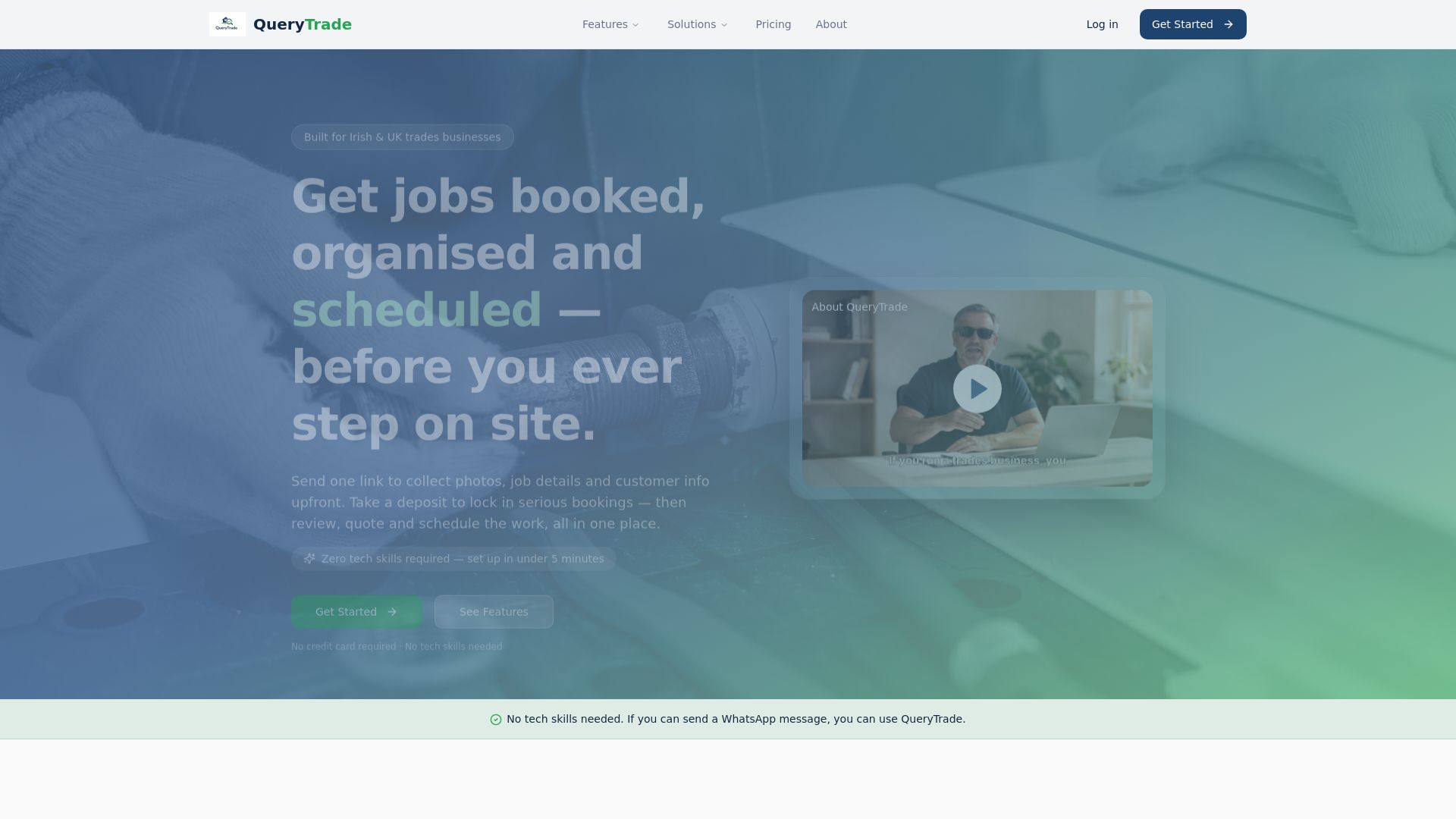
Setup takes about five minutes with no technical background required. Import your calendar or start capturing inquiries through your unique link, build out a couple of reminder templates using the examples above, and turn on Stripe deposit collection so a booking comes with money down before you commit a half-day to it. Explore the full feature set or head straight to Query Trade to start your free 30-day trial and see your first week of inquiries organized instead of scattered across three apps.
Sources
Query Trade drew on a handful of sources that back up the timing and template guidance above, useful if you want to go deeper on any single piece.
"A concise reminder, front-loaded logistics, and a single call to action consistently outperform longer, more formal messaging" is the throughline across nearly every guide on this topic, regardless of channel.
- Appointment Reminder Text Message: 25 Templates (2026) — Sendhub
- How to write reminder emails that people appreciate — Twilio (blog)
- How to write reminder emails and examples — Salesforce