
If you need a lighter, more transparent alternative to Housecall Pro, a mobile-first field app or a lightweight job-pipeline tool is usually the best fit for a small service business. Here's the short answer:
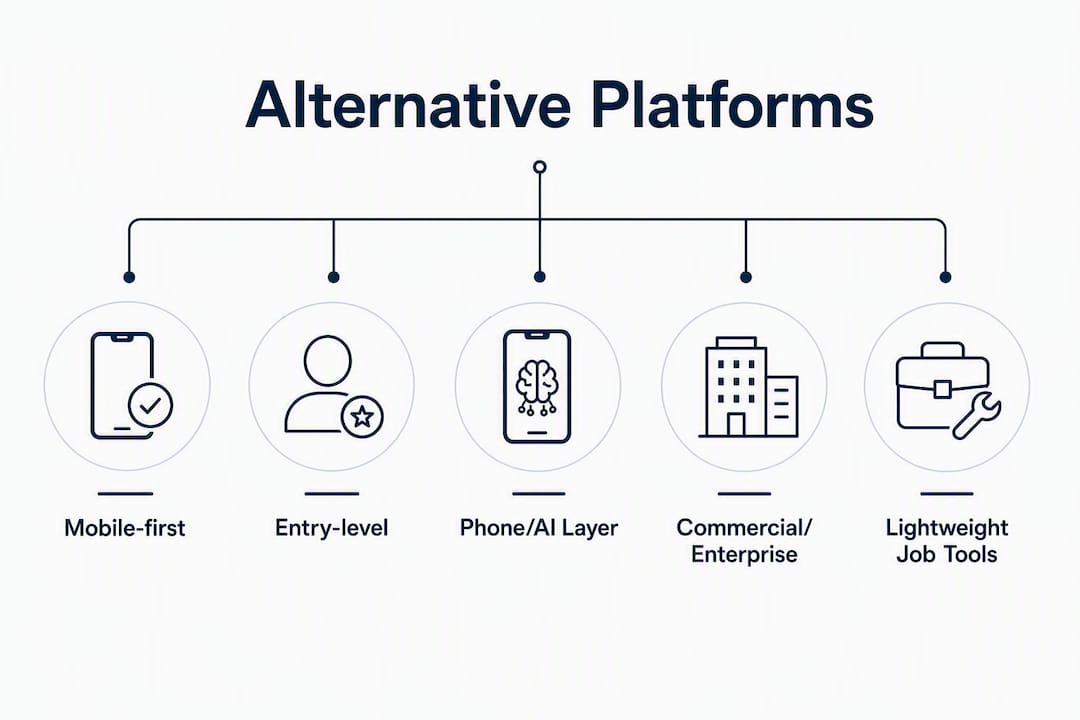
- Mobile-first field apps (e.g., Workiz, Jobber): Best for technician-heavy teams that need offline job management and strong scheduling on the go.
- Entry-level all-in-one platforms (e.g., FieldPulse, mHelpDesk): Best for very small teams that want public pricing, quick setup, and basic CRM in one place.
- Commercial/enterprise platforms (e.g., ServiceTitan, FieldEdge): Best for mid-market or multi-crew operations that need advanced dispatch and reporting, but overkill for most small shops.
- Phone/AI-answering layers: Best as a complement to your existing software when missed calls, not scheduling, are your primary revenue leak.
- Lightweight job-pipeline tools (Querytrade): Best for trades businesses that want a fast intake form, a clean pipeline dashboard, and deposit collection without a steep learning curve.
Querytrade is our recommended pick for contractors and tradespeople who want to stop losing leads to missed messages and get set up in under five minutes, without paying for features they'll never use.
Table of Contents
- How do these Housecall Pro alternatives compare at a glance?
- Which alternative category actually fits your situation?
- How to choose the right Housecall Pro alternative for your business
- What does switching from Housecall Pro actually involve?
- Why Querytrade is our recommended lightweight alternative
- Key Takeaways
- The case for starting smaller than you think you need
- Querytrade: capture more leads with a 30-day free trial
- Useful sources
How do these Housecall Pro alternatives compare at a glance?
The table below covers the five alternative categories across the eight dimensions that matter most when switching. "Pricing transparency" means whether you can see a price before booking a demo. "Team-size fit" reflects the sweet spot each category is built for.
| Category | Best for | Pricing transparency | Team-size fit | Mobile/offline quality | Key integrations | Onboarding style | Trial/demo |
|---|---|---|---|---|---|---|---|
| Mobile-first field apps | Technician-heavy residential teams | Public pricing (most) | Solo to small (1–10) | Excellent; offline mode standard | QuickBooks, Stripe, calendar | Self-serve to guided | Free trial available |
| Entry-level all-in-one | Very small teams, first-time software buyers | Public pricing | Solo to small (1–5) | Good; offline varies | QuickBooks, payments, calendar | Self-serve | Free trial or demo |
| Phone/AI-answering layers | Teams losing leads to missed calls | Public pricing | Any size (add-on) | N/A (call layer only) | FSM platforms, CRM | Self-serve | Free trial common |
| Commercial/enterprise platforms | Multi-crew, commercial contractors | Gated demo required | Mid-market to enterprise (10+) | Strong; purpose-built for field | QuickBooks, payroll, dispatch | Guided/dedicated CSM | Demo only |
| Lightweight job-pipeline tools | Solo to small trades, intake-first | Public pricing | Solo to small (1–5) | Good; photo uploads, calendar sync | Stripe, calendar, WhatsApp | Self-serve (under 5 min) | Free trial |
A few things worth flagging: platforms that publish pricing and allow self-serve trials are consistently more SMB-friendly than those requiring a gated demo. If a vendor doesn't show you a price without a 30-minute call, that's a signal about who they're really built for. Enterprise platforms almost always fall into the gated-demo column, which is fine if you're a 15-person crew, but a red flag if you're a two-van operation trying to move fast.
Which alternative category actually fits your situation?
Mobile-first field apps
These are the closest direct swap for Housecall Pro. Workiz and Jobber both sit in this category, and both publish their pricing. Mobile UX and offline capability are among the strongest drivers of vendor selection for technician-heavy teams, and for good reason: a field tech who loses cell signal mid-job needs to keep logging notes, uploading photos, and updating job status without the app freezing.
Pros: Strong scheduling and dispatch, solid mobile apps, good QuickBooks integration, public pricing, free trials.

Cons: Per-seat pricing climbs quickly above five users. Housecall Pro users who've already hit that ceiling will find the same structure here. Feature depth can also mean a longer setup curve for a one-person operation.
Best for: Plumbers, electricians, and HVAC techs running two to eight technicians who need real-time job tracking and offline reliability.
Pricing note: Most publish tiered plans starting in a moderate monthly range per user or per plan. Free trials are standard.
Entry-level all-in-one platforms
FieldPulse and mHelpDesk sit here. These platforms target the smallest end of the market: a solo operator or a two-person team who wants scheduling, invoicing, and basic CRM without paying for enterprise dispatch tools. Setup is typically faster than the mobile-first apps, and pricing is usually flat-rate rather than per-seat.
Pros: Transparent pricing, quick onboarding, covers the basics well, lower monthly cost.
Cons: Feature ceiling is real. If your business grows past five or six people, you'll likely outgrow the reporting and dispatch capabilities within 12–18 months.
Best for: New businesses or very small shops buying software for the first time. Also, a good fit for trades that don't need complex scheduling, like painters or upholsterers running a tight calendar.
Pricing note: Flat-rate plans often start at a modest monthly cost. Free trials or money-back guarantees are common.
Phone/AI-answering layers
This category is different from the others because it's not a replacement for your field service management (FSM) software. It sits on top of it. If missed calls are your primary revenue problem, adding an answering or booking layer often makes more sense than swapping your core scheduling software. These tools answer inbound calls, capture lead details, and can push bookings directly into your FSM calendar.
Pros: Solves the missed-call problem without disrupting your existing workflow. Can run 24/7. Measurable ROI if you track call-to-book conversion before and after.
Cons: Adds a second subscription. Doesn't fix scheduling, invoicing, or job tracking. Integration quality varies.
Best for: Any trade business where crews are regularly on-site and unavailable to answer the phone. Works alongside any of the other categories.
Pricing note: Pricing typically varies depending on call volume, with a range from low to moderate monthly costs. Most offer trials.
Pro Tip: Before adding an answering layer, measure your current call-to-book conversion rate for two weeks. That baseline number tells you whether the tool is actually paying for itself.
Commercial/enterprise platforms
ServiceTitan and FieldEdge belong here. These are purpose-built for larger operations: multi-crew commercial contractors, franchise networks, or businesses with dedicated dispatch teams. The feature depth is real, covering advanced reporting, payroll integrations, and multi-location dispatch. But small-shop teams routinely underutilize enterprise platforms, paying for modules they never open.
Pros: Best-in-class dispatch, reporting, and commercial workflow support. Built for scale.
Cons: Gated pricing, long onboarding commitments (often 60–90 days for full migration), and high monthly costs. Enterprise migrations generally take multiple weeks and require dedicated migration support. A small shop that jumps to this tier too early often ends up with lower adoption and higher spend.
Best for: Operations with 10+ technicians, commercial contracts, and a dedicated office manager. Not the right fit for a five-person residential crew.
Lightweight job-pipeline tools
This is where Querytrade sits. The defining feature of this category is speed: you get a shareable intake link, a pipeline dashboard with clear stages (New, Contacted, Quoted, Scheduled, Completed), photo uploads, calendar sync, and deposit collection via Stripe, all without a training program or a two-week onboarding call.
For builders, painters, landscapers, and carpenters who are losing jobs to disorganized inquiry management rather than to scheduling complexity, this category solves the actual problem. The intake form captures job details before you even pick up the phone.

Pros: Fastest setup of any category (under five minutes). No technical skills required. Deposit collection reduces no-shows. WhatsApp and Instagram auto-reply templates built in. Free 30-day trial.
Cons: Not a full FSM replacement. No advanced dispatch, payroll, or multi-location reporting. If you're running 10+ technicians across multiple crews, you'll need a heavier platform.
Best for: Solo operators and small trades teams (1–5 people) who want to capture more leads, reduce no-shows, and track jobs without a complex system.
How to choose the right Housecall Pro alternative for your business
Experts recommend five core criteria when evaluating any FSM alternative: industry compatibility, project scale suitability, feature necessity, implementation and support availability, and ease of data migration. Score each candidate 1–5 on each criterion for a total out of 25 to assess fit. Run each candidate through this checklist before committing to a trial.
Seven-point decision checklist
- Industry fit: Does the platform have templates or workflows built for your specific trade (plumbing, electrical, landscaping, carpentry)? Generic scheduling tools often miss trade-specific job types.
- Scale suitability: How many technicians do you have now, and how many in 18 months? Pick a platform that fits your current team, not your aspirational one.
- Features you'll actually use: List the five features you use most in Housecall Pro. Does the alternative cover all five? Ignore features you've never touched. Prioritize those features in your evaluation score.
- Mobile and offline quality: Can a technician complete a full job cycle (photo upload, status update, invoice) without a cell signal? Test this during the trial with a real technician on a real job.
- Pricing transparency: Is the price listed publicly? If not, factor in the time cost of a sales process before you even know if it fits your budget.
- Onboarding and support: Is setup self-serve or guided? For a two-person shop, a platform that requires a dedicated onboarding call for every feature is a time drain.
- Data migration ease: Can you export your customer list, job history, and invoices from Housecall Pro in a standard format (CSV)? Confirm the new platform can import them before you sign anything.
Quick scoring tool
Score each candidate 1–5 on each of the five core criteria. A platform scoring below 3 on mobile quality or data migration is a risk worth pausing on, regardless of how well it scores elsewhere. Total scores above 20 out of 25 indicate a strong fit.
Demo questions to ask vendors
- "How do I export my customer and job history from my current platform, and what format do you import?"
- "What happens to the mobile app when a technician loses cell signal mid-job?"
- "Does your pricing change if I add a second user or a second location?"
- "What integrations do you have for payment processing and accounting?"
- "What does onboarding look like, and how long before my team is fully operational?"
Red flags to watch for
- Pricing only available after a demo call.
- Onboarding commitments longer than two weeks for a small team.
- No offline mode or offline mode limited to read-only.
- Migration support is an add-on cost, not included.
- Contract lock-in longer than 30 days before you've run a real pilot.
What does switching from Housecall Pro actually involve?
Housecall Pro's per-seat pricing becomes a friction point above five users, and limited commercial workflow support is a recurring complaint for growing teams. But switching isn't just a subscription change. Here's what a realistic migration looks like.
Typical migration timeline
- Week 1 (Plan): Audit what data you need to move. Export your customer list, job history, invoices, and product catalog from Housecall Pro in CSV format. Confirm the new platform can import each file type.
- Weeks 2–3 (Import and configure): Upload customer and job data. Set up your pipeline stages, templates, and integrations (QuickBooks, Stripe, calendar). Don't skip the calendar sync test.
- Week 4 (Staff pilot): Run one technician on the new platform for real jobs. Test offline mode, photo uploads, and status updates in the field before the full team switches.
- Weeks 5–6 (Full cutover): Move the full team over. Keep Housecall Pro active for read-only reference for 30 days in case you need historical job data.
- Enterprise migrations: If you're moving to a commercial/enterprise platform, budget 60–90 days for full onboarding and dedicated migration support.
Data migration checklist
- Customer contact list (name, address, phone, email)
- Job and work order history
- Invoice and payment records
- Product and service catalog
- Calendar appointments and recurring jobs
- Technician accounts and permissions
Expected cost items
A migration budget should cover at least three line items: vendor migration support if required, internal staff training time, and temporary dual-subscription costs during the cutover window. For lightweight platforms, migration support is often self-serve and free. For enterprise tools, it's frequently a paid add-on.
Pro Tip: Run the mobile app test with a real technician on a live job before you cancel Housecall Pro. Offline photo uploads, notes, and status updates are the minimum checks for field reliability. If those three tasks fail without a signal, the platform isn't ready for your crew.
For field service software options beyond this shortlist, third-party roundups can help you cross-check category claims before committing to a demo.
Why Querytrade is our recommended lightweight alternative
Querytrade is built for the trades business owner who's losing jobs not because of bad scheduling software, but because inquiries are falling through the cracks. A missed WhatsApp message, a phone call during a job, a quote request that never got a follow-up. That's the problem Querytrade is designed to fix.
The job pipeline moves every inquiry through five clear stages: New, Contacted, Quoted, Scheduled, Completed. You see exactly where every potential job stands without digging through texts or email threads. Photo uploads let customers attach images to their job request before you even visit the site. Calendar sync keeps your schedule in one place. Deposit collection via Stripe reduces no-shows without an awkward conversation.
Setup takes under five minutes. No technical skills, no onboarding call, no training program.
Best-for profile:
- Solo operators and small teams (1–5 people) in trades like plumbing, electrical, carpentry, painting, landscaping, and general building.
- Businesses where the primary problem is disorganized inquiry management, not complex multi-crew dispatch.
- Tradespeople who want a professional intake form their customers can fill out via a shared link, reducing back-and-forth before the first call.
What to test during the free 30-day trial:
- Share your intake link with five real customers and track how many complete the form versus calling or texting.
- Run one week of jobs through the pipeline dashboard and check whether your team is updating stages consistently.
- Collect one deposit via Stripe and confirm the payment flow works end-to-end.
- Test calendar sync with your existing calendar app.
For carpenters and other trades with project-based workflows, the pipeline stages map directly to how a job actually moves from inquiry to completion.
Key Takeaways
Querytrade is the strongest lightweight pick for small trades businesses that need faster intake and a cleaner job pipeline without the complexity of a full field service management platform.
| Point | Details |
|---|---|
| Match platform to team size | Choose a platform that fits your current crew; enterprise tools often go underused in shops with fewer than 10 technicians. |
| Pricing transparency matters | Platforms with public pricing and self-serve trials are consistently better fits for small, agile service businesses. |
| Test mobile offline before committing | Run a real technician through photo uploads, status updates, and notes without a cell signal before canceling your current subscription. |
| Migration takes planning | Budget for dual subscriptions, staff training time, and a 30-day read-only window on your old platform during cutover. |
| Querytrade for lightweight intake | Querytrade's free 30-day trial lets small trades teams validate the intake-to-pipeline workflow before any long-term commitment. |
The case for starting smaller than you think you need
Most trades business owners I talk to are shopping for the wrong thing. They've outgrown Housecall Pro's pricing structure or hit a workflow ceiling, and their instinct is to jump to the next tier up: a bigger platform, more features, a longer onboarding process. The logic makes sense on paper. In practice, it usually backfires.
The platforms that dominate the enterprise field service space are genuinely impressive. But impressive for a 20-technician commercial contractor is not the same as useful for a five-person residential crew. The gap between what a platform can do and what your team will actually use is where money goes to waste. A solo plumber who spends three weeks onboarding to a platform with payroll modules and multi-location dispatch has lost three weeks of productivity for features he'll never open.
The smarter move, almost every time, is to start with the lightest tool that solves your actual bottleneck. If the bottleneck is missed inquiries, fix the intake. If it's scheduling chaos, fix the calendar. If it's no-shows, fix the deposit flow. Solve one problem well before adding complexity. You can always migrate up; migrating back down is painful and expensive.
Querytrade sits at that lightweight end deliberately. It's not trying to be ServiceTitan. It's trying to make sure you don't lose a job because a customer's WhatsApp message got buried. For a lot of small trades businesses, that's the actual problem worth solving first.
Querytrade: capture more leads with a 30-day free trial
Most small trades businesses don't need more software features. They need fewer missed leads. Querytrade gives you a shareable intake link, a five-stage job pipeline, deposit collection via Stripe, and calendar sync, all set up in under five minutes with no technical skills required.
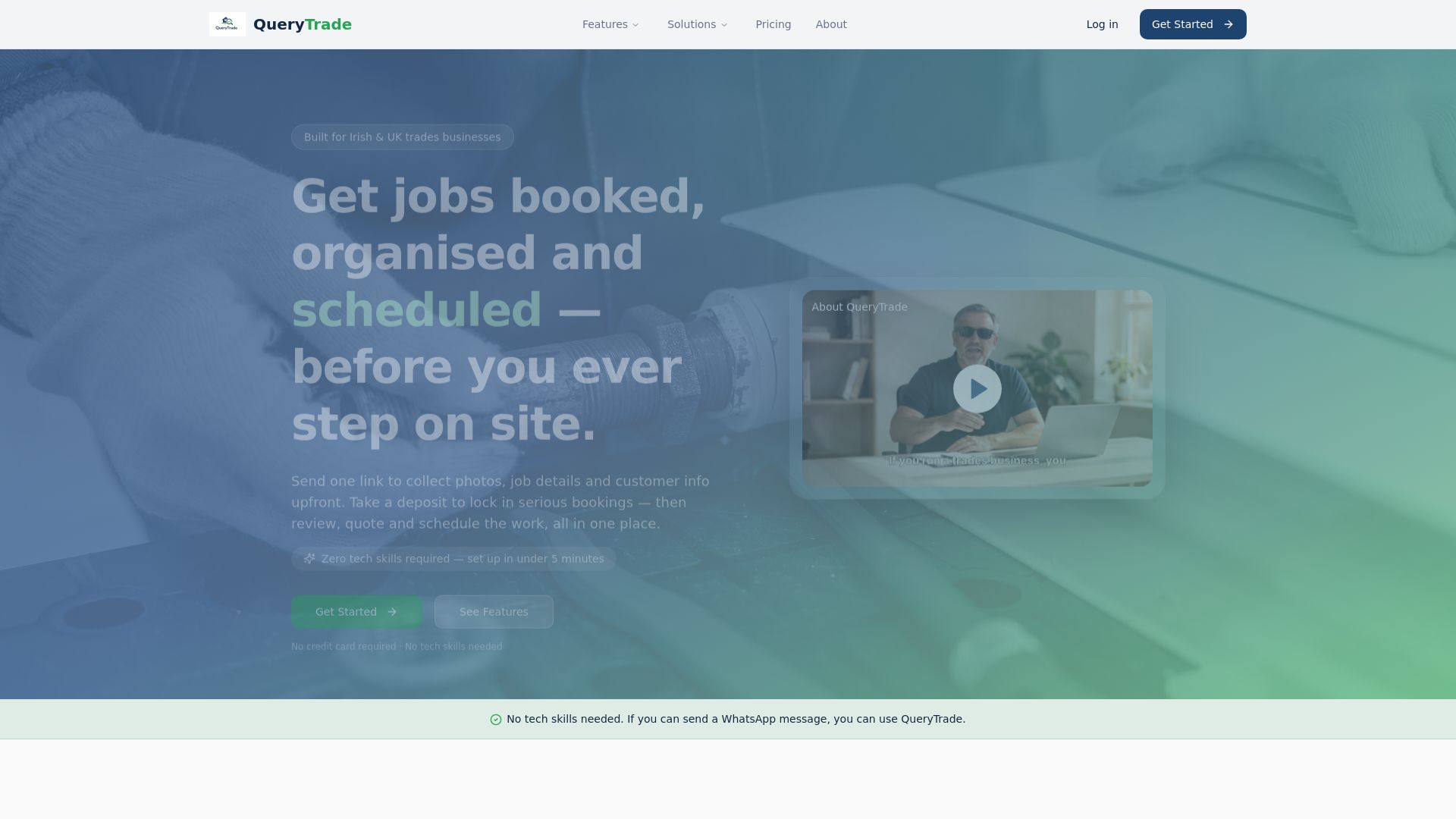
The features page shows exactly what's included. The solutions overview maps those features to specific trades, from plumbers and electricians to landscapers and builders. The free 30-day trial requires no credit card commitment upfront. In your first trial week, share your intake link with real customers, run five jobs through the pipeline, and collect one deposit via Stripe. If those three things work for your business, the platform earns its keep.
Start your free trial at querytrade.com and see how many inquiries you were losing before.
Useful sources
- Housecall Pro Alternatives (April 2026): 7 Options Ranked by Use Case — Field Service Guide's ranked roundup covering mobile UX, pricing transparency, and team-size fit across seven alternatives.
- Top 6 Best Field Service Software Alternatives 2026 — Third-party roundup useful for cross-checking category-level claims before committing to a vendor demo.