
If you're getting fewer than 30 direct messages a day, Instagram's native inbox is enough. Once you cross that line, or once more than one person needs to answer messages, you need a Meta-partner unified inbox with automation and tagging built in. That's the whole verdict. Everything below explains why, and how to set it up without breaking Instagram's rules or losing leads in the process.
Instagram DM management just means how you receive, sort, answer, and track direct messages, whether that's one founder replying from their phone or a five-person team routing enquiries into a CRM. For trades businesses in particular, a DM is often the first sign of a paying job, and losing track of it costs real money.
Three signals tell you it's time to add a third-party tool:
- You're getting more than 30 DMs a day and can't keep threads straight.
- More than one person answers messages, and handoffs are getting messy.
- You need tags, saved replies, or a CRM connection to keep leads from falling through.
If any of that sounds familiar, here's a quick shortlist by category: entry-level inbox apps (Sked Social, NapoleonCat) for solo operators and small teams; AI-first automation (ManyChat) for comment-to-DM funnels; CRM-integrated platforms (HubSpot) for sales pipelines; enterprise social suites (Hootsuite, Sprout Social) for large marketing teams; and Instagram-first DM platforms (Metricool, LinkDM) built specifically around messaging workflows.
Your one action today: turn on Instagram's Professional inbox if you haven't, and try a Meta-partner tool's free trial before committing. For a trades business, that same enquiry moment is exactly where Query Trade picks up. It captures the job details Instagram DMs never structure properly, then tracks the enquiry through to a booked job.
Key Takeaways
Instagram DM management works best when native inbox tools handle low-volume conversations and a Meta-partner platform plus a job intake system take over as enquiries and team size grow.
| Point | Details |
|---|---|
| Start with native features | Enable saved replies, filters, and folders before paying for any third-party tool. |
| Automate first replies only | Let automation handle first-touch and qualifying questions; keep quoting and negotiation human. |
| Choose Meta-partner tools | Avoid scrapers or password-based tools that risk account suspension. |
| Match tool to team size | Metricool and Sked Social suit solo users; HubSpot and Sprout Social suit larger teams. |
| Add Query Trade for intake | Route qualified DMs into Query Trade's job pipeline to capture details, photos, and deposits reliably. |
Table of Contents
- What Is the Best Approach to Instagram DM Management?
- Top Instagram DM Management Tools and What Each Is Best At
- How Do These Tools Actually Differ From Each Other?
- How Do You Choose the Right DM Management Tool?
- What Does Instagram's Native Inbox Already Handle Well?
- What Are the API Limits and Safety Rules for DM Automation?
- A DM-to-Booked-Job Workflow for Trades Businesses
- Templates and Quick Wins to Cut Response Time Today
- What Matters Most in Instagram DM Management Right Now
- How Query Trade Turns Instagram Enquiries Into Booked Jobs
- Sources
What Is the Best Approach to Instagram DM Management?
The honest answer depends on volume, not preference. A single creator answering 15 messages a day doesn't need software beyond what Instagram already ships. A landscaping business fielding quote requests from three platforms at once absolutely does.
Here's what changes at scale: native DMs have no tagging, no assignment, and no automation beyond quick replies. Desktop Instagram lets you send, reply, react, and mark threads unread, but a few features, like vanish mode, stay mobile-only, and neither surface gives you a way to hand a conversation to a teammate or flag it as urgent, according to NapoleonCat's breakdown of Instagram DM limits. That gap is exactly what unified inbox tools are built to close.
Pro Tip: Before paying for anything, spend a week logging how many DMs you get, how many people touch them, and how often a message gets missed. That number tells you which tier of tool you actually need.
Top Instagram DM Management Tools and What Each Is Best At
Eight tools dominate this space right now, and each one is genuinely better suited to a different kind of user. Here's how they stack up.
A few honest notes on each:
- Metricool is strong on analytics but thinner on deep CRM syncing than HubSpot.
- ManyChat is the best pure automation engine, though its interface takes longer to learn than most.
- NapoleonCat handles moderation and auto-replies well but lacks the sales-pipeline depth HubSpot offers.
- HubSpot pulls Instagram DMs directly into its Reply tool, but only retrieves messages from the last seven days on connect and shows up to 200 recent messages per thread, according to HubSpot's own documentation.
- Hootsuite and Sprout Social both suit larger teams juggling multiple platforms, but their pricing reflects that scale.
- LinkDM is lightweight and quick to set up, though it trades away some of the team features bigger tools offer.
- Sked Social focuses on inbox workflows and saved replies rather than heavy automation, which suits teams that want structure without complexity.
Every tool listed here operates within Meta's API, which matters more than it sounds. Vendors that work outside that perimeter, browser extensions and scrapers among them, risk getting your account flagged, a warning Metricool itself makes to anyone shopping this category.
Choosing a tool is only half the job, though. Once a DM turns into a quote request, you still need somewhere for that job to live. That's where an intake link and auto-reply templates, like the ones Query Trade builds for Instagram, WhatsApp, and Facebook, take over from the inbox tool.
How Do These Tools Actually Differ From Each Other?
Beyond the table, six dimensions decide which tool actually fits your business: unified inbox depth, automation and keyword flows, bot or AI capability, team assignment and permissions, integrations, and analytics.
A solo creator selling prints doesn't need CRM sync. They need fast saved replies and maybe a comment-to-DM trigger for product drops. A five-person plumbing outfit needs the opposite: assignment rules so the right person answers, and a way to tag a message as "quote request" versus "general question." An agency running DMs for a dozen clients needs deep integrations and reporting above almost everything else. High-volume e-commerce brands need automation that can handle order status and returns without a human touching every thread.
Feature trade-offs worth knowing before you commit:
- Deep integrations often come at the cost of a steeper setup process.
- Tools built for ease of setup (Sked Social, LinkDM) tend to have thinner reporting.
- Heavy automation (ManyChat) demands more upfront flow-building than a simple unified inbox does.
Managed inboxes that add tagging, automated first replies, and assignment let teams reach inbox zero and reclaim real hours weekly, according to Inrō's research on Instagram inbox management, with automation handling first touches while humans focus on the conversations that actually convert. That's the same principle behind pairing a DM tool with a dedicated job intake system: automation catches the lead, a person closes it. Query Trade's job pipeline exists for exactly that handoff, turning a qualified DM into a tracked job instead of a forgotten thread.
How Do You Choose the Right DM Management Tool?
Six questions will get you to a decision faster than any feature comparison chart.
- Do you need multi-account or team support, or is this a solo operation?
- Is the tool an official Meta Partner, or does it rely on workarounds that risk suspension?
- Can it tag and assign conversations to specific people?
- Does it integrate with your CRM, shop platform, or job management system?
- What's the actual pricing structure, and are there hidden message caps?
- Does it offer a genuine free trial with clear service terms?
Watch for red flags while you shop. Any tool that asks for your Instagram password directly, rather than using Meta's official login, is a serious risk. Same goes for browser automation tools that promise unlimited messaging with no mention of API limits; that's usually a sign they're operating outside Meta's rules, and your account pays the price eventually.
Pro Tip: Run a 7-day proof-of-concept before signing an annual contract. Connect the tool, route real DMs through it, and measure reply time and missed messages against your current baseline. If it doesn't beat your manual process in a week, it won't in a year either.
Once you've settled on a DM tool, the next decision is what happens after someone replies "yes, I want a quote." That's a job intake problem, not a messaging problem, and it's worth solving separately. Query Trade was built specifically to sit in that gap, collecting the job details a DM thread never captures cleanly.
What Does Instagram's Native Inbox Already Handle Well?
Before spending money on a third tool, use what Instagram gives you for free. The Professional inbox splits messages into Primary, General, and Requests, and recent updates added filters for unread and unanswered threads plus new folders to help sort by follower count or verification status, according to eMarketer's coverage of Instagram's DM filter rollout.
Turn these on first:
- Saved replies for your five most common questions.
- Filters and folders to separate unanswered messages from resolved ones.
- Broadcast channels for one-way announcements to followers.
- Message editing, available for 15 minutes after sending.
A caveat worth knowing: some features, vanish mode among them, work only on mobile, and desktop lacks a few delivery controls mobile has, per NapoleonCat's comparison. If your team splits time between phone and desktop, that inconsistency alone can cause missed replies.
DMs matter more than most businesses assume. They tend to see higher open rates than email, largely because they land in a space people check constantly rather than a folder they open once a day, based on eMarketer's analysis of messaging-first engagement. For a business generating leads through Instagram, that's the platform doing half your job for you already.
Use the native inbox as far as it takes you. Once volume outgrows one person checking one phone, add a Meta-partner unified inbox for the messaging layer, and an intake tool like Query Trade for the part that happens after someone says yes.
What Are the API Limits and Safety Rules for DM Automation?
Meta draws a firm line here in 2026, and it's worth understanding before you automate anything. Stay inside the Meta Graph API or work with certified Meta partners. Anything outside that, scrapers, unofficial browser extensions, tools that ask for your login credentials directly, risks account suspension with little warning.
Practical rules that keep automation compliant:
- Trigger automated replies only from opt-in actions: comment-to-DM, story replies, or click-to-message ads.
- Never send unsolicited mass DMs to accounts that haven't interacted with you first.
- Watch for rate limits and throttling; sending too fast too often gets flagged regardless of intent.
- Disclose automated agents clearly where your tool or platform requires it.
Privacy matters just as much as compliance. Conversation data often includes phone numbers, addresses, and payment intent, all things that need secure handling, not casual exports to spreadsheets. Review any vendor's privacy and data processing terms before connecting them to your DMs, since general privacy policy standards make clear what data can move where and how it must be protected. If you're using a CRM alongside your DM tool, confirm it handles customer data under proper data protection standards, especially if you serve customers in the EU or UK.
Pro Tip: Before scaling any automation, test it on a small segment for a week and set a clear escalation rule: if a customer types "human" or "help," the bot stops and a person takes over immediately.
This is precisely why Query Trade stores intake data securely from the start rather than leaving job details scattered across DM threads, screenshots, and someone's notes app. One clean intake form beats five insecure workarounds.

A DM-to-Booked-Job Workflow for Trades Businesses
Here's a workflow that turns an Instagram comment into a scheduled, deposit-paid job, without a single missed detail along the way.
- Capture the trigger. A customer comments "price?" on a job photo or replies to your story.
- Send an instant automated first reply. A ManyChat or NapoleonCat flow acknowledges the message within seconds and asks one qualifying question, like location or job type.
- Qualify with one or two questions. Keep it short: what's the job, roughly, and where.
- Send the Query Trade intake link. This replaces a back-and-forth about photos, addresses, and job specifics with a single form the customer fills out once.
- Collect photos and a brief. The customer uploads images and describes the job directly through the link, no chasing required.
- Schedule and collect a deposit. Query Trade handles calendar sync and deposit collection via Stripe, cutting down on no-shows.
- Move it into the job pipeline. The enquiry becomes a tracked job: New, Contacted, Quoted, Scheduled, Completed.
Reply speed is the single biggest lever in this whole chain. Automation that guarantees a first reply within 30 seconds during busy periods measurably improves conversion, according to InstantDM's 2026 DM strategy research, largely because Instagram's own algorithm rewards fast responses and customers simply move on if they wait too long.
Pro Tip: Automate the first reply and the qualifying question. Keep quoting, negotiation, and anything involving price flexibility in human hands, that's where trust gets built or lost.
A carpenter getting a story reply about a kitchen fit-out doesn't need five DM exchanges to establish scope. One automated reply, one qualifying question, then a Query Trade intake link does the same job in a fraction of the time, with a photo and a brief attached before the first phone call ever happens.

Templates and Quick Wins to Cut Response Time Today
A few small changes produce outsized results almost immediately.
Start with saved replies for the four questions you get most: pricing, availability, deposit requirements, and photo requests. A simple script works fine: "Thanks for reaching out! To get you an accurate quote, could you share a photo of the job and your general location?"
Set an SLA for your team, even an informal one. Someone should reply within 15 minutes during business hours, with a clear escalation path if the assigned person is unavailable. Sked Social's guidance on inbox workflows also recommends limiting off-hours notifications, since staff burnout from constant pings tends to slow response times more than it speeds them up.
Three technical wins you can knock out this week:
- Connect Instagram Business chat if you haven't already.
- Test a comment-to-DM trigger on your next job photo post.
- Set up one consistent intake link so every enquiry, regardless of platform, collects the same job details.
Query Trade's auto-reply templates exist for exactly this last step: consistent, pre-written responses across Instagram, WhatsApp, and Facebook that cut manual typing and stop details from getting lost between platforms.
What Matters Most in Instagram DM Management Right Now
Most advice on this topic focuses on picking the "best" tool, and that's the wrong first question. The right first question is whether your bottleneck is messaging or handoff. Most businesses assume they need a smarter chatbot when what they actually need is a cleaner way to move a qualified lead into a tracked job.
Reply speed still wins the day. A disciplined approach, short trigger keywords, fast first replies, and structured follow-ups at 24 and 72 hours, consistently outperforms ad-hoc replying, according to SetSmart's research on DM marketing tactics. But speed without structure just means you're fast at losing track of leads. Compliance matters nearly as much: tools that skip Meta's API in favor of workarounds are gambling with your entire account, not just one campaign.
If you do one thing this week, audit your current DM-to-job handoff. Count how many enquiries you've gotten in the last month and how many actually became paying jobs. The gap between those two numbers tells you exactly where to invest first, whether that's a faster reply tool or a cleaner intake process. For most trades businesses, it's both, and Query Trade was built to handle the second half of that equation.
How Query Trade Turns Instagram Enquiries Into Booked Jobs
Query Trade is the missing link between a DM tool that answers messages and a business that actually books the job. Where automation platforms stop at "conversation handled," Query Trade picks up with a shareable intake link that collects the job details, photos, and brief a DM thread never structures properly.
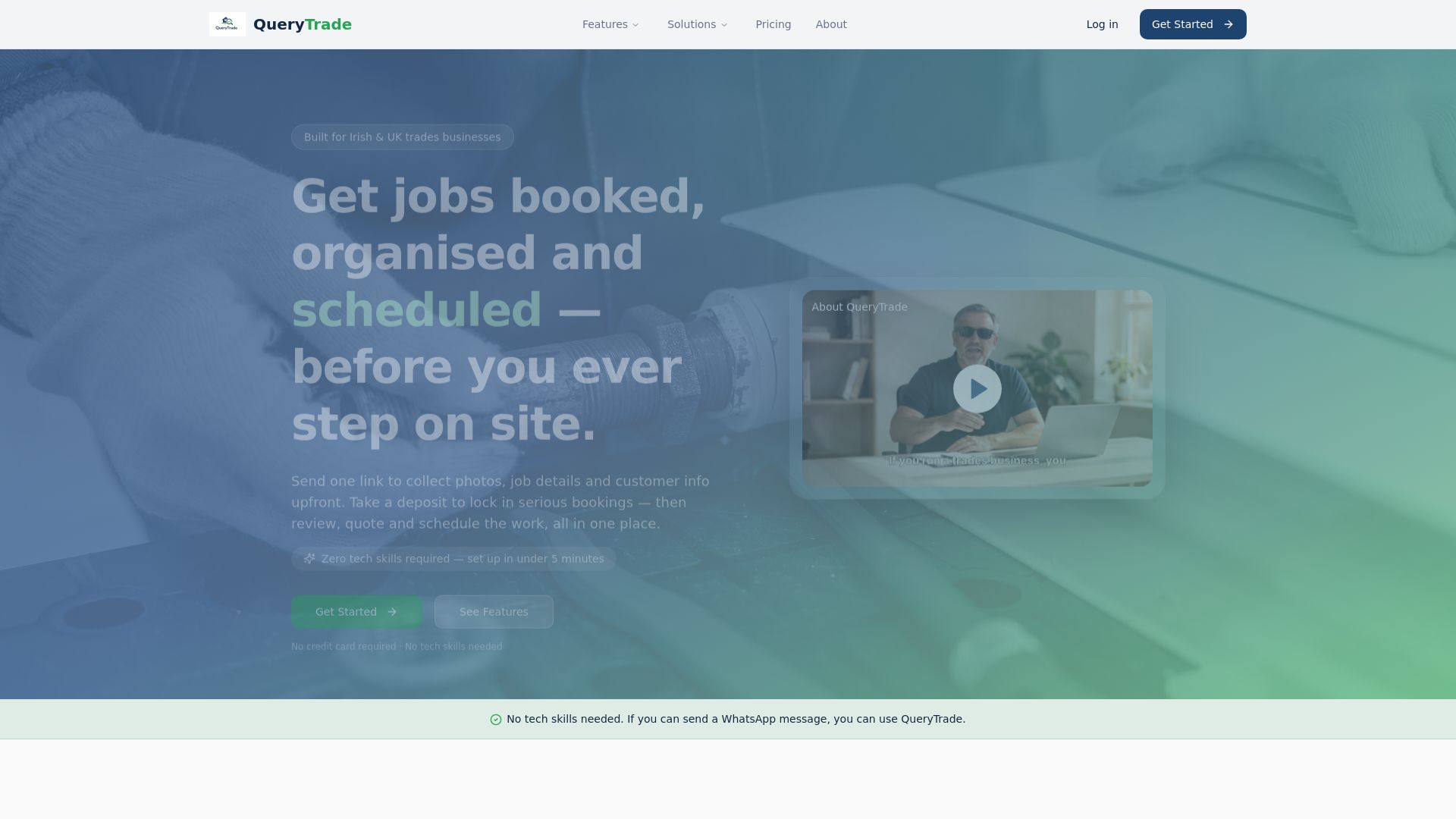
Every enquiry gets tracked through a clear pipeline: New, Contacted, Quoted, Scheduled, Completed, so nothing sits forgotten in a message thread three days later. Photo uploads mean customers show you the job instead of describing it badly in text. Instant notifications mean you never miss a live enquiry, and deposit collection through Stripe cuts down on no-shows before you've even picked up a tool. Auto-reply templates for Instagram, WhatsApp, and Facebook keep responses consistent no matter which platform the enquiry lands on.
Query Trade offers a free 30-day trial, with simple monthly pricing once you're ready to commit. If you're already using a DM tool to manage conversations, add Query Trade to handle what happens after the conversation ends. Set up your intake link this week and see how many more of those Instagram enquiries turn into jobs on the books.
Sources
A few sources are worth bookmarking if you want to go deeper on any part of this topic.
- Instagram’s DM filters offer tools to scale engagement, manage messaging-first strategies — eMarketer
- Instagram DMs — NapoleonCat blog
- Manage social direct messages — HubSpot Knowledge
- Instagram Inbox Management: Handle DMs at Scale — Inrō
- Instagram DM Strategy 2026: Automation, Growth, and Tools — InstantDM
How is Instagram DM management different from Instagram DM automation? DM management covers the whole process, sorting, tagging, replying, and tracking conversations. Automation is one piece of that: using bots or triggers to handle first replies or common questions automatically.
Do I need a Meta partner tool if I only get a few DMs a day? No. Instagram's native Professional inbox, with saved replies and filters, handles low volume just fine. Add a third-party tool once volume or team size makes manual tracking unreliable.
What happens to a DM lead after a tool like ManyChat or HubSpot replies to it? That depends entirely on your process. Most DM tools stop at the conversation. Pairing one with an intake system like Query Trade means the lead's job details, photos, and scheduling get captured and tracked automatically instead of getting lost in the thread.
Is it safe to automate Instagram DMs for my business? Yes, as long as you stick to Meta-approved partners and trigger automation only from opt-in actions like comments or story replies. Avoid tools that require your Instagram password or operate outside Meta's official API.
How fast should I reply to Instagram DMs for the best conversion? Aim for under 30 seconds during peak hours where automation makes that possible. Faster first replies consistently produce better conversion and engagement outcomes.