
Here's the fix: pair a shareable intake link with an instant WhatsApp auto-reply, feed both into a pipeline you can actually see, and add a deposit option before you confirm the booking. That's it. That's the workflow that turns scattered WhatsApp messages into tracked jobs instead of a graveyard of unread texts.
Set up this way, you stop losing enquiries to slow replies, cut the back-and-forth that eats your evenings, and get paid faster because deposits happen before you show up. Query Trade builds this exact chain and most trades get it running in under five minutes, no tech skills required.
- Fewer missed leads (no more digging through chat history at 9pm)
- Faster bookings (the customer does the qualifying work for you)
- Less admin (one pipeline instead of five open chats)
Key Takeaways
Organizing WhatsApp inquiries into booked jobs requires an instant auto-reply, a shareable intake link, a visible pipeline, and a deposit step at booking.
| Point | Details |
|---|---|
| Reply instantly | Send an automated WhatsApp confirmation the moment an enquiry lands to stop leads going to a competitor. |
| Map six stages | Move every job through inquiry, qualify, documents, quote, schedule, and confirmation with clear exit criteria. |
| Keep forms short | Use 2 to 4 fields per step and validate phone and postcode early to reduce drop-off. |
| Automate routing, not pricing | Let rules sort by job type, postcode, and urgency; keep quotes and negotiation human. |
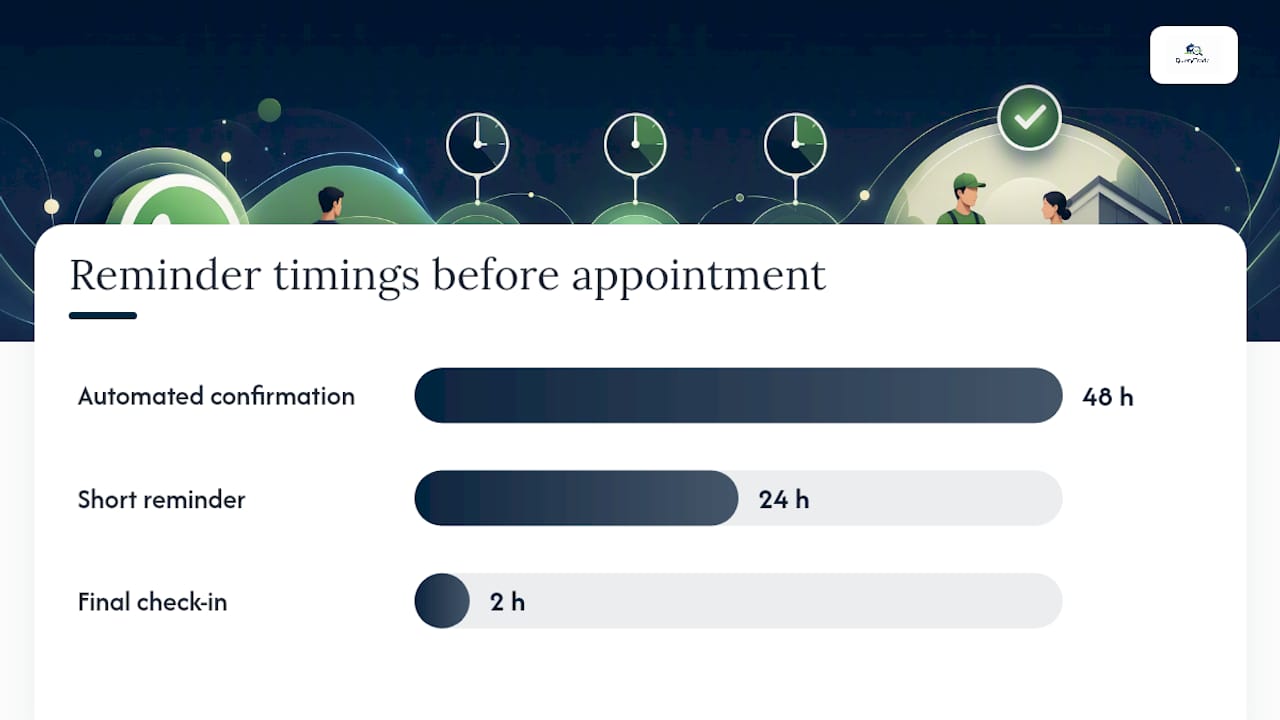
| Use deposits and reminders | Collect a deposit at booking and send reminders at 48 hours, 24 hours, and 2 hours to cut no-shows. |
| Try QueryTrade | Query Trade combines the intake link, auto-replies, pipeline, and deposits into one setup you can launch in under five minutes. |
Selected Research and Partner Resources
- The True Cost of Missed Calls: UK Trades Industry Financial Impact Report 2026 — industry data on lost revenue from slow response times.
- How to Build a Client Intake Workflow — staged intake process and form design guidance.
- AI Lead Capture for UK Trades in 2026 — automation and routing options for small trades.
- Organize Customer Conversations in One Inbox — consolidating messaging to prevent lead drop-off.
Table of Contents
- Map the Intake Workflow From First Message to Confirmed Job
- How Do You Set Up a WhatsApp Intake Link Without Coding?
- What Automation Rules Actually Save You Time?
- Which Booking Tactics Cut No-Shows the Most?
- Quick QA Checklist to Stop Silent Lead Leaks
- Try QueryTrade to Put This Whole System on Autopilot
- Sources
Map the Intake Workflow From First Message to Confirmed Job
Every WhatsApp enquiry should move through the same six stages, in the same order, every time. Skip a stage and you either lose the job or show up to a site you weren't prepared for.
- Inquiry — the message lands. Exit criteria: you've replied within minutes, not hours.
- Qualify — you know the job type, location, and urgency. Exit criteria: you can say yes or no to taking it on.
- Documents — photos, measurements, or access details are in hand. Exit criteria: you could quote without visiting.
- Quote — price and scope go to the customer in writing. Exit criteria: they've accepted or asked a follow-up question.
- Schedule — a date and time slot lock in. Exit criteria: it's on your calendar, not just in a text thread.
- Confirmation — deposit paid (if applicable) and reminder sent. Exit criteria: both sides know the job is happening.
On a one-person team, you own every stage, so the value is in not having to remember where each customer sits. On a five-person outfit, someone should own qualify and quote while the office or the boss owns scheduling. Data needs to travel forward with the job, not live in someone's head, which is exactly the failure mode a proper intake workflow is designed to prevent.
Branch decisions matter here too. An emergency plumbing call skips straight past "quote" into "schedule now." A commercial enquiry usually needs an extra documents step for site access and insurance details that a residential job never asks for.
Pro Tip: Write your six exit criteria on a sticky note by your workbench for the first two weeks. You'll be surprised how often "confirmation" gets skipped when you're busy, and that's the stage that stops no-shows.
Query Trade's job pipeline mirrors these exact stages, so a job automatically shows where it's stuck instead of you having to scroll back through WhatsApp to check.
How Do You Set Up a WhatsApp Intake Link Without Coding?
You don't need a developer for this. Here's the build order:
- Create one shareable intake link inside a job-management tool or form builder. This becomes the link your WhatsApp auto-reply sends out.
- Design the form in short branching steps rather than one long page. Group 2 to 4 fields per screen and validate phone number and postcode early, since a bad number is the fastest way to lose a lead entirely.
- Allow photo uploads on the documents step. A picture of a leaking joint or a cracked render tells you more than three paragraphs of description.
- Connect the form to your pipeline. No-code connectors like Zapier or Make handle this for most small trades businesses without any custom development.
- Test the connection with a few dummy submissions before you go live.
- Set your WhatsApp auto-reply to fire immediately, sending the intake link plus a short confirmation line.
A few design rules matter more than they sound:
- Never ask for anything you don't need to quote or schedule the job.
- Put the most sensitive question (postcode, access) early, so partial submissions are still usable.
- Keep the tone conversational, not like a government form.
Short, validated forms complete at meaningfully higher rates than long ones, which is well documented in intake workflow best practices. Query Trade's auto-reply templates handle steps one and six out of the box, so you're not building an automation from scratch on a Sunday night.
What Automation Rules Actually Save You Time?
Not every step should be automated, but the ones that can be, should be, without exception on the routine stuff.
Routing rules that work well:
- Job type (a "no hot water" message routes differently than "quote for extension")
- Postcode (auto-decline or flag anything outside your service area)
- Urgency keywords ("burst," "no power," "flooding" jump the queue)
- Returning client (skip the qualify step, they're already vetted)
Two messages matter more than any others in this whole system. The first is an instant confirmation to the customer, sent the moment they message you, because speed to lead is one of the strongest predictors of whether they book with you or the next plumber in their search results. The second is an internal alert to you or your office with the job details attached, so nobody's refreshing WhatsApp hoping they didn't miss something.
Pro Tip: Build a polite, automatic decline for out-of-area jobs. It costs you nothing and it stops "did you see my message?" follow-ups three days later.
Keep pricing negotiation, unusual scope, and any sensitive customer conversation in human hands. Automation should sort and route. It shouldn't quote a job it hasn't seen.
Which Booking Tactics Cut No-Shows the Most?
Getting a "yes" over WhatsApp is only half the job. Getting them to actually show up for the appointment is the other half, and that's where deposits and reminders earn their keep.
Ask for a deposit at the point of booking, not after. Present it as standard practice ("a small deposit secures your slot") with a direct payment link rather than a request to transfer separately, since friction at this step is where bookings quietly die.
A reminder schedule that works for most trades:
- 48 hours out: automated confirmation with the appointment details
- 24 hours out: short reminder, one line
- 2 hours out: "on our way" or final check-in
For quotes still pending a decision, a similar cadence applies: a nudge at 48 hours, another at 7 days, then a human follow-up call if it's a job worth chasing. Missed calls and slow follow-up cost trades businesses real revenue, and industry research on the true cost of missed calls makes the case for treating this cadence as non-optional rather than a nice-to-have.
Where you can offer live booking slots instead of "let me check and get back to you," take it. It removes an entire round of back-and-forth messaging.
Quick QA Checklist to Stop Silent Lead Leaks
Most lost leads don't disappear loudly. They disappear because a form was too long, a webhook failed quietly, or nobody checked the drop-off numbers in three months.
- Cap every form step at 2 to 4 fields; long single-page forms lose people fast.
- Test your webhook or connector for failure modes, and set up a fallback alert so a broken automation doesn't fail silently.
- Capture name and phone number in the first step, so even an abandoned form gives you a lead you can call back.
- Review form drop-off weekly for the first month, then monthly, and fix whichever step bleeds the most people.
Running test submissions across edge cases like emergency callouts and out-of-area requests before you rely on the system daily catches most of these problems before a real customer does.
QueryTrade Perspective: What Reliable Intake Actually Changes
The honest shift isn't dramatic, it's structural. A one-person operation stops being the bottleneck for every single enquiry, because the form asks the qualifying questions you'd normally ask by text. A five-person team stops needing someone glued to WhatsApp all day, because the pipeline shows what needs attention without anyone scrolling.
One documented case, a five-person London trades business, handled over 40 enquiries a week after adding automation and pipeline tracking, cutting admin hours while converting more of those enquiries into booked work. Query Trade's intake link, pipeline, auto-replies, and deposit collection exist to make that same shift available to a business with no in-house tech support.
Try QueryTrade to Put This Whole System on Autopilot
You could stitch this together yourself with a form builder, a separate automation tool, and a spreadsheet pipeline. It works, but it takes hours to set up and more hours to maintain when one connector breaks.
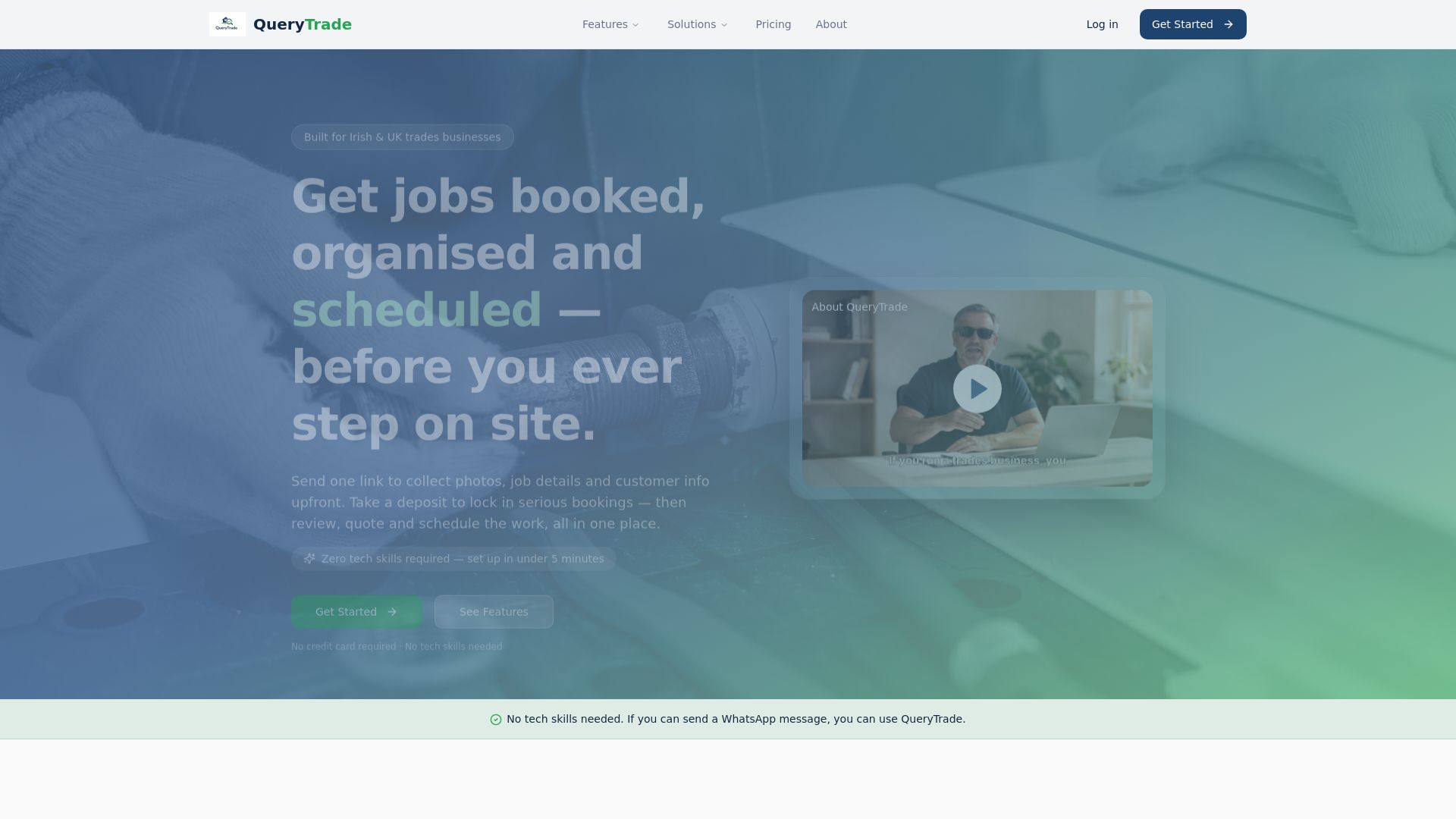
Query Trade maps directly onto every stage covered here: a shareable intake link replaces your manual qualifying questions, WhatsApp auto-reply templates handle the instant confirmation, the job pipeline tracks each enquiry from new to won, and built-in deposit collection through Stripe locks in bookings before you drive out. Setup takes under five minutes with no technical skill needed, and Irish and UK trades can start on a free 30-day trial to see it running on real enquiries. Check the full feature list and get your first intake link live today.
Sources
- Whoza
- Speed to lead: speed is the key to lead conversion | LeanData
- How to Build a Client Intake Workflow (Step by Step) | MeritsOnly
- AI Lead Capture for UK Trades in 2026 | Silverstone AI