
A plumber intake form should pre-qualify the job, rank urgency, collect photos, and grab access and payment details before you ever pick up the phone. The fastest way to get one live is a shareable link with photo uploads built in, ideally one that feeds straight into a job pipeline like Query Trade rather than a static PDF nobody tracks.
A working form needs to handle:
- Urgency ranking so burst pipes jump the queue ahead of a slow drip
- Photo upload so you can size up the job before you drive anywhere
- Address and access details captured up front, not asked twice
- Deposit collection to lock in the booking and cut no-shows
- Calendar sync so a confirmed slot appears without a follow-up call
Key Takeaways
A plumber intake form that ranks urgency, collects photos, and captures a deposit converts more inquiries into paid, scheduled jobs than a phone call or generic contact page ever will.
| Point | Details |
|---|---|
| Ask for photos every time | A close-up and a wider shot let you assess complexity before you drive to site. |
| Rank urgency explicitly | Route active leaks and no-water reports into a separate, faster workflow. |
| Put contact fields last | Homeowners who've invested time in the form are more likely to finish it. |
| Secure bookings with deposits | A small deposit field tied to the calendar step reduces no-shows. |
| Use Query Trade to connect it all | Query Trade turns a shareable intake link into a live pipeline with photo uploads, urgency ranking, and deposit collection built in. |
Table of Contents
- What Fields Belong on a Plumber Intake Form?
- How Do You Structure the Form for More Completions?
- What Technical Features Turn a Form Into a Job Pipeline?
- What Does GDPR Compliance Look Like for an Intake Form?
- What Does a Complete Plumber Intake Form Template Look Like?
- How Do You Test and Improve the Form Over Time?
- Why Tradespeople Who Use a Proper Intake Form Win More Work
- Get Your Intake Form Live in Under Five Minutes
- Frequently Asked Questions
- Sources
What Fields Belong on a Plumber Intake Form?
Every field earns its place by doing one of two jobs: helping you quote faster, or filtering out time-wasters before they hit your calendar. Here's the checklist worth copying into any form builder or service request form.
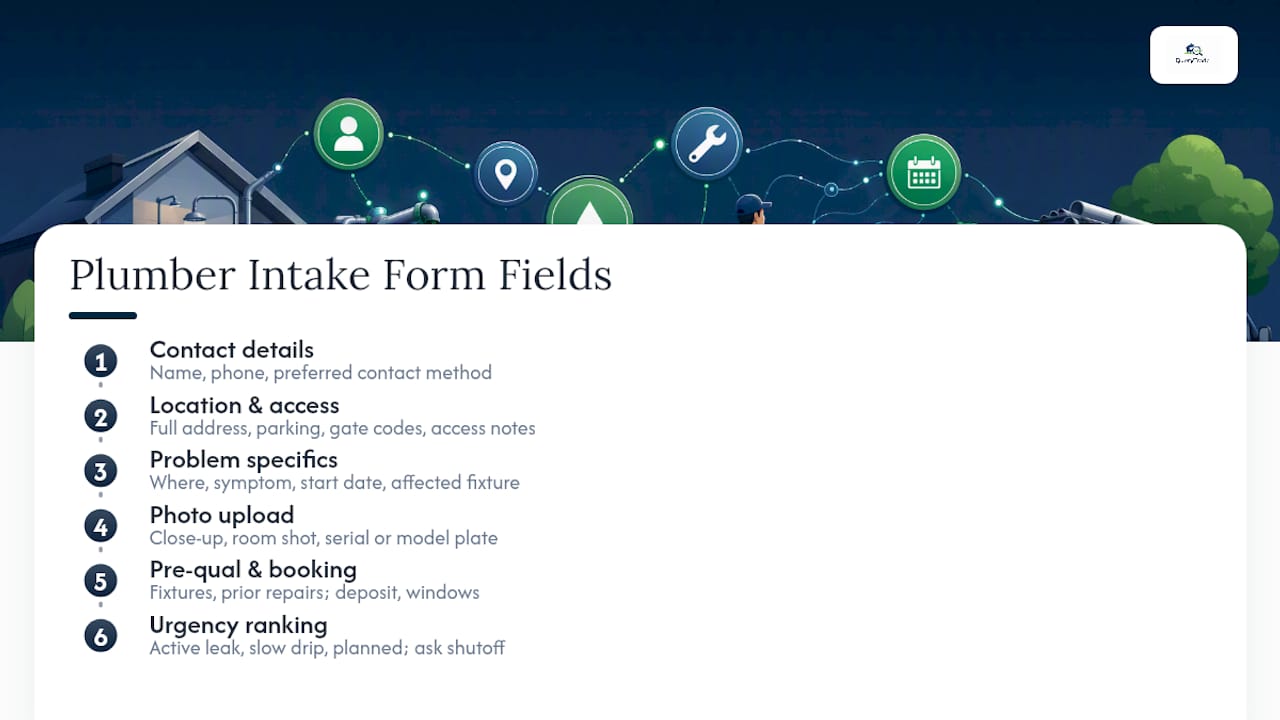
Contact details. Name, phone number, and preferred contact method (call, text, WhatsApp). Skip the email-only assumption. Plenty of homeowners in a plumbing emergency want a call back, not an inbox reply.
Location and access. Full address, parking notes, gate codes, and where in the property the work is. Auto-detect the address with a location field where you can. It shaves ten seconds off completion and avoids typos on rural addresses that eircode lookups sometimes fumble.
Problem specifics. Where's the fault (kitchen sink, main line, toilet, boiler)? What's the symptom? When did it start? A structured urgency question here (active leak vs. slow drip vs. planned upgrade) does more triage work than any phone screening ever will.
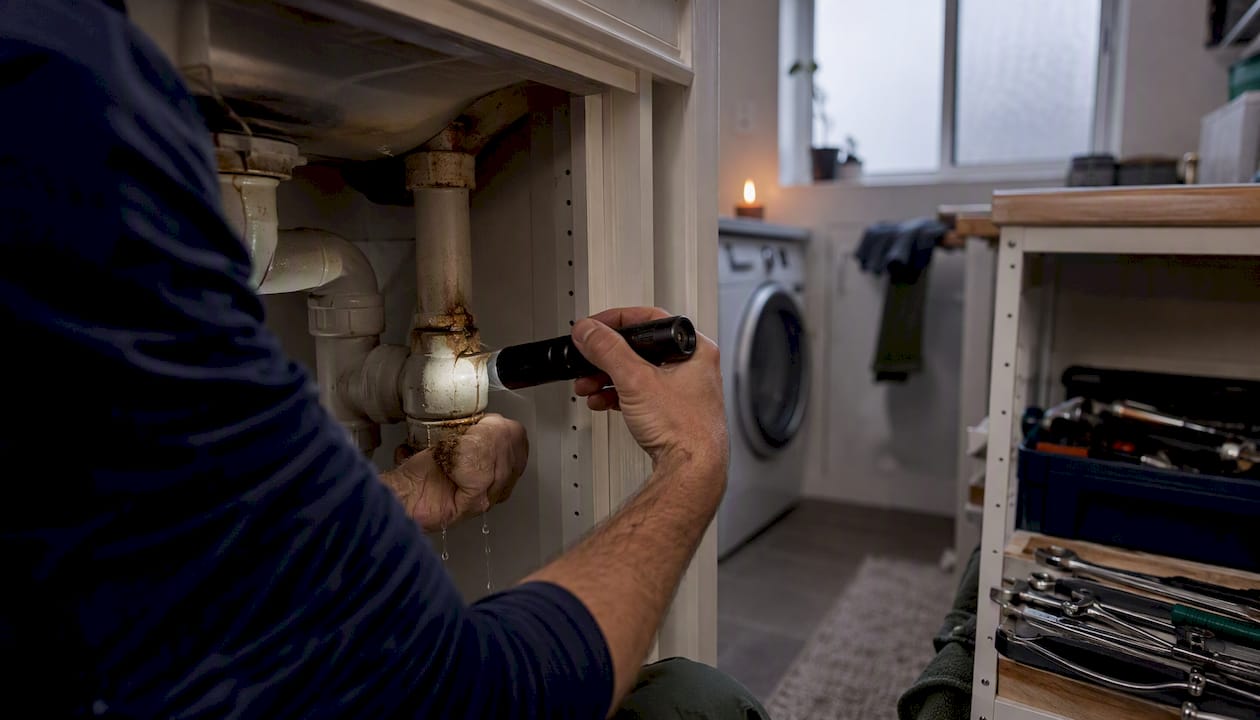
Photo or file upload. Ask for a close-up of the fault, a wider shot of the room, and, where relevant, the serial number or model plate. This one field replaces half the questions a phone call usually needs.
Pre-qualification fields. How many fixtures are affected? Has anyone already attempted a repair? Is the water shut off? Are there elderly or vulnerable residents on-site? That last one alone can bump a job's priority.
Payment and booking fields. A deposit option, an optional estimated price band, and two or three preferred appointment windows.
Pro Tip: Ask "is the water currently shut off?" as a yes/no with a follow-up "if no, do you know where the stopcock is?" It tells you instantly whether this is a drive-now emergency or a same-week booking.
This is close to what the Paperform plumbing intake template and the Tapform plumber template both build around: urgency, access, and photos as the backbone, with contact details wrapped around them. Query Trade's plumber-specific intake setup uses the same structure by default, so you're not reinventing this checklist from scratch.
How Do You Structure the Form for More Completions?
Field selection only gets you halfway. How you sequence those fields decides whether someone actually finishes the form or bails after the third question.
Open with a one-line promise and a time estimate: "Takes under 90 seconds. Helps us bring the right parts on the first visit." That single sentence does more for completion rates than any design tweak.
Use conditional logic so technical fields only appear when relevant. Someone reporting a dripping tap doesn't need to see a "boiler model number" field. Break the form into two to four short steps with a visible progress bar, and make every input mobile-friendly. Tappable date pickers and phone number masks matter more than they sound. Most of these forms get filled out on a phone, standing in a kitchen, next to the leak.
Write field labels the way a homeowner talks, not the way a plumber does. "Where's the water coming from?" beats "Identify point of ingress." Add example text under technical fields so people answer accurately instead of guessing.
The urgency question deserves its own moment in the flow. Route "active leak" or "no water" answers into an urgent workflow, and everything else into standard scheduling. This single branch point is what actually speeds up response times, not blanket promises to "reply within the hour."
Pro Tip: Put the contact details step last, not first. Once someone has answered five questions about their problem, they've invested enough time that they'll finish rather than abandon the form.
What Technical Features Turn a Form Into a Job Pipeline?
A form that just collects answers and sits in an inbox is barely better than a voicemail. The features that matter are the ones that move a submission through a pipeline without you retyping anything.
- File and photo uploads so job complexity is visible before dispatch
- Conditional logic to route emergency vs. standard requests automatically
- Calendar booking built into the form, not a separate email thread
- Deposit and payment capture via Stripe or similar, tied to the booking step
- Automatic notifications confirming receipt to the customer and alerting you
- Webhook, API, or Zapier integration for anything the form doesn't handle natively
Each of these maps to a stage in a job pipeline: New (form submitted), Contacted (you've replied), Quoted (price sent), Scheduled (calendar slot confirmed), Completed (job done, invoice sent). A form without pipeline integration means someone on your team is manually copying details between a spreadsheet, a calendar, and a text thread, and that's exactly where jobs get lost.
Moving intake off phone calls and onto a structured form is one of the clearer shifts happening in trades right now. It replaces interrogation-style calls with something a homeowner fills out on their own time, and it feeds directly into job pipeline software instead of a notepad by the phone, according to BuildDigital's analysis of trades intake workflows.
Query Trade's own setup takes under five minutes: you generate a shareable intake link, customers submit photos and details through it, and every submission lands in a pipeline dashboard automatically, no manual entry required. Test the photo upload feature from your own phone before rolling it out. It's the single most common failure point on DIY form builders that weren't designed mobile-first.
What Does GDPR Compliance Look Like for an Intake Form?
You don't need a legal team to run a compliant intake form, but you do need a few basics in place.
State your lawful basis for processing, usually contract preparation (you need the details to quote and schedule the job) or legitimate interest. Keep a short, written retention policy, even if it's three sentences.
Collect only what the job requires. Skip sensitive personal data unless it's genuinely relevant (vulnerable resident flags are fine; anything beyond that usually isn't necessary), and encrypt photo uploads where your platform supports it.
If you plan to send marketing texts or follow-up offers, get explicit consent for that separately from the booking consent. Link to a plain-language privacy notice right on the form.
Check that any third-party tool in your stack, your payment processor, your storage provider, has a proper data processing agreement in place. This isn't optional under GDPR, and it's worth five minutes to confirm.
Pro Tip: Query Trade centralizes intake data inside one platform with its own data handling settings, so you're not juggling separate consent flows across a form tool, a payment processor, and a spreadsheet.
What Does a Complete Plumber Intake Form Template Look Like?
Here's a field-by-field template you can paste directly into Query Trade or any form builder.
| Field Name | Example Microcopy / Logic Note |
|---|---|
| Full name | "What's your name?" (required, text) |
| Phone number | "Best number to reach you." (required, phone mask) |
| Preferred contact | "Call, text, or WhatsApp?" (dropdown) |
| Property address | "Where's the job?" (autocomplete address field) |
| Access notes | "Parking, gate code, or anything we should know before arriving." (optional text) |
| Problem area | "Kitchen sink, bathroom, main line, boiler, other." (dropdown) |
| Symptom description | "What's happening?" (short text, example: 'water pooling under the sink') |
| When it started | "Today, yesterday, this week, longer." (dropdown) |
| Urgency | "Active leak / no water / slow drip / planned work." (routes to urgent workflow if first two selected) |
| Photo upload | "Add a close-up and a wider photo if you can." (file upload, optional but encouraged) |
| Water shut off? | "Yes / No / Not sure." (conditional: show stopcock question if 'No') |
| Vulnerable residents | "Anyone elderly or with health needs on-site?" (optional, yes/no) |
| Deposit | "Secure your slot with a small deposit." (Stripe payment field, optional) |
| Preferred times | "Pick two or three windows that work." (calendar widget) |
A filled sample might read: kitchen sink, active leak, started this morning, two photos attached, water shut off at the mains, no vulnerable residents, deposit paid, prefers Tuesday afternoon or Wednesday morning. That's enough detail to quote and schedule without a single phone call.
Three conditional rules do most of the work: hide the stopcock question unless "water shut off" is "No," route anything marked "active leak" or "no water" straight into an urgent queue, and only show the deposit field once a time slot has been selected. The Perspective AI plumbing request template uses a similar branching approach to separate genuine emergencies from routine bookings.
How Do You Test and Improve the Form Over Time?
Track five numbers: completion rate, time to first response, booking conversion rate, deposit rate, and no-show reduction. Run quick experiments, shorten the first screen, move contact fields to the end, test a deposit requirement against no deposit for urgent jobs, and compare the results.
- Test the form on three or four different phones, not just your own
- Send a dummy submission with a photo attached to confirm uploads work
- Check that new submissions trigger a pipeline update and a notification
Query Trade's reporting shows exactly where submissions drop off, so you can adjust fields based on actual behavior instead of guessing.
Why Tradespeople Who Use a Proper Intake Form Win More Work
Plumbers who screen jobs through a structured form arrive prepared, with the right part already in the van, instead of discovering the real problem after a wasted callout. That single change cuts dead-end site visits and speeds up how fast a quote turns into a signed job.
It also changes how the business looks from the outside. A branded intake link reads as more professional than "just text me," and homeowners respond to that signal by booking faster and trusting the quote more. The plumbers getting the most out of this aren't the ones with the fanciest form. They're the ones who ask better questions and act on the answers immediately, something a tool like Query Trade is built to support end to end.
Get Your Intake Form Live in Under Five Minutes
Query Trade is the direct route from "someone messaged me about a leak" to a scheduled, deposit-secured job, without building a form from scratch or stitching together three separate tools. It gives you a shareable intake link with photo uploads, urgency ranking, Stripe-based deposit collection, and automatic notifications, all feeding into one visual job pipeline you can see at a glance.
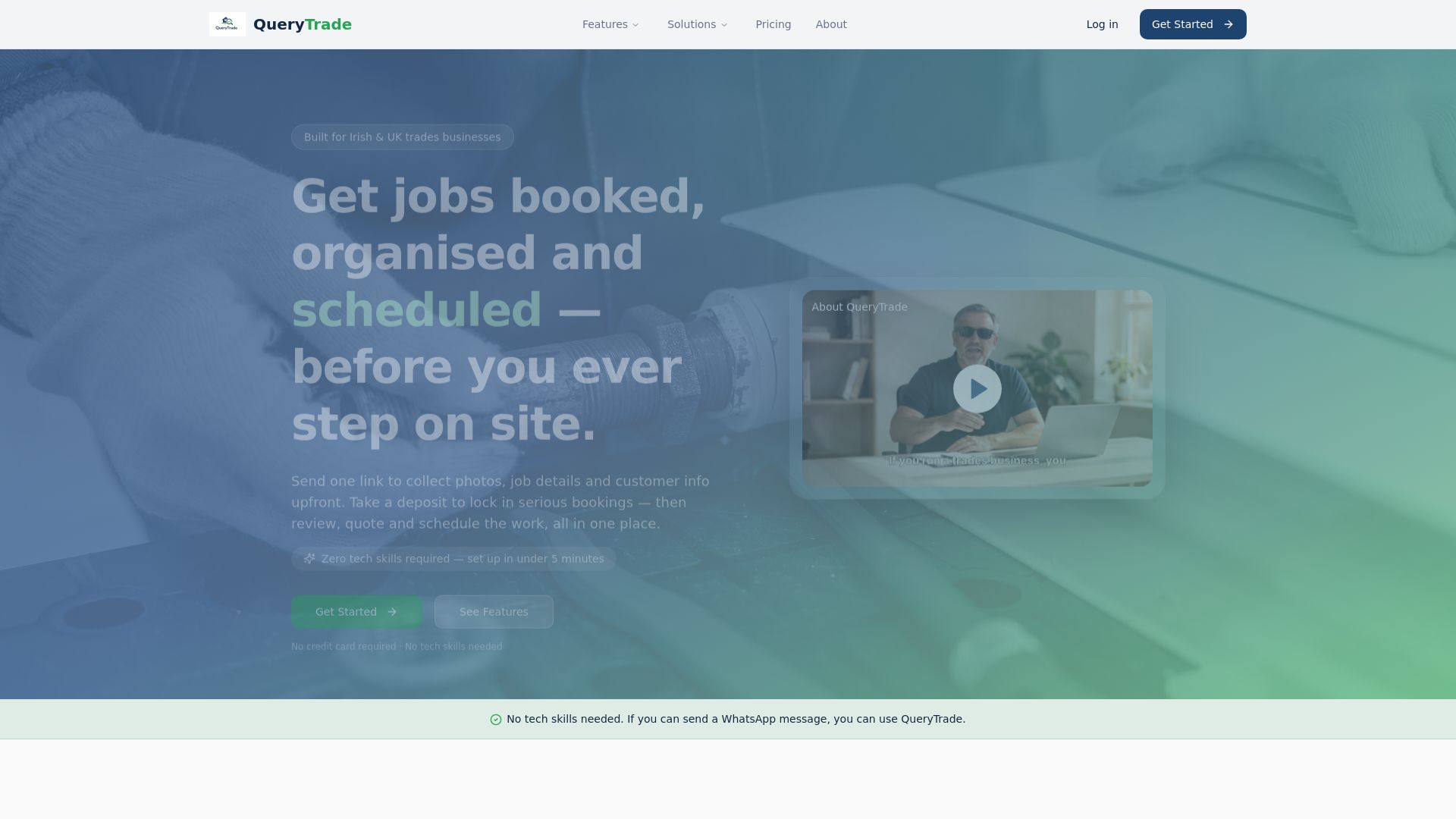
Setup takes under five minutes and requires no technical skills. Send the link once, and every new submission lands in your dashboard already sorted by urgency, with photos attached and a deposit option built in.
To get started: create your Query Trade account, customize your intake form fields to match this guide's checklist, and share your link on your website, WhatsApp, or Instagram bio. Your next inquiry could be a booked, deposit-paid job before you've even called the customer back. Try Query Trade and see your first submission land in the pipeline today.
Frequently Asked Questions
What should a plumber intake form always include? Contact details, job location and access notes, an urgency ranking, a photo upload field, and a booking or deposit step. Miss any one of these and you're back to filling gaps over the phone.
How is a plumber intake form different from a general contractor intake form? A carpenter intake form or builder intake form usually asks for project scope and material preferences. A plumber intake form leans harder on urgency triage and photos, since so many requests are genuine emergencies needing same-day routing.
Can I collect a deposit through the intake form itself? Yes. Platforms like Query Trade attach a Stripe payment field directly to the booking step, so the deposit locks in the same appointment slot the customer just picked.
Does a photo upload field actually reduce wasted site visits? It does. Seeing the fault before you arrive means you bring the right part on the first trip, instead of a return visit once you've diagnosed it in person.
Is a shareable link better than a contact form on my website? For most plumbers, yes. A shareable link works across text, WhatsApp, Instagram, and email without needing a website at all, which matters if most of your jobs come through referrals and social media rather than search traffic.
Sources
- BuildDigital — Trades intake and job pipeline guidance
- Plumbing Service Client Intake Form Template | Paperform
- Plumbing Service Request Form Template | Perspective AI
- Plumber Form Template | Tapform