
The fastest way to replace a paper job diary is a phone-first job management app that captures inquiries, tracks jobs through a pipeline, and sends invoices from the same screen. Most tradespeople get one running in under five minutes without touching a desktop. Pick a tool built for trades, not spreadsheets, and start entering every new job into it today. QueryTrade is one option built for exactly this switch.
TL;DR:
- Using a digital job management app can save tradespeople up to seven hours per week by streamlining inquiries, quotes, and invoicing processes.
- Essential app features include a mobile interface, job pipeline, photo uploads, customer intake forms, payment integration, calendar sync, and offline mode.
- It is recommended to phase the switch over two weeks, starting with active jobs and current inquiries, and avoiding retyping old records.
- Reverting to paper often happens due to split records, over-customization, or usability issues; removing old habits quickly is key to lasting adoption.
- Expect to see inquiries becoming more structured and deposits collected immediately in the first five days, with setup and onboarding easily completed in under five minutes.
Table of Contents
- Why Switch From a Paper Diary to Digital Job Tracking?
- What Should a Digital Job Diary Replacement Actually Do?
- How Do You Migrate From Paper to a Digital System This Week?
- Why Do Tradespeople Go Back to Paper (and How Do You Stop It)?
- What Should You Expect in Your First Five Days With a Trades App?
- How QueryTrade Solves the Paper Diary Problem
- Sources
Why Switch From a Paper Diary to Digital Job Tracking?
A paper diary can't remind a customer about tomorrow's job, can't attach a photo of a leaking valve, and can't tell you which quotes went cold three weeks ago. A digital job diary alternative does all three automatically, and the payoff shows up fast.

Most trades businesses follow a predictable path: paper first, then a mess of spreadsheets and WhatsApp threads, and eventually one connected platform handling jobs, quotes, and invoices together. The biggest productivity jump happens at that last stage, when nothing has to be copied between systems.
The numbers back this up. A sole trader running everything manually spends roughly six to seven hours a week on admin, just chasing quotes, texting reminders, and hunting for a customer's number. Switching to job management software commonly claws back five to seven of those hours weekly.
By the numbers: Sole traders on manual systems lose about 6 to 7 hours a week to admin. Job management software typically recovers 5 to 7 of those hours, almost a full workday back every week.
Here's what changes in practice:
- Fewer missed callbacks because every inquiry lands in one inbox instead of three
- Faster invoicing since a completed job can trigger the invoice automatically
- Fewer lost leads because nothing gets buried under a coffee-stained page
A roofer who used to jot quotes on a clipboard and text photos separately can now capture both in one job record, cutting the time between "quoted" and "paid" by days, not weeks. That's the kind of shift Query Trade was built to speed up.
What Should a Digital Job Diary Replacement Actually Do?
Not every app marketed to tradespeople earns a spot on your phone. Before you commit, hold any candidate to a short list of non-negotiables drawn from what actually moves the needle for trades businesses.
Must-haves:
- A real mobile app, not a website squeezed onto a small screen
- A visible job pipeline (new, contacted, quoted, scheduled, completed)
- Photo uploads attached directly to the job record
- A shareable intake form so customers submit job details themselves
- Quoting and invoicing with built-in payment collection
- Calendar sync so appointments don't live in two places
- Offline mode for basements, rural sites, and dead zones
Usability checks that matter more than feature counts:
- Can you update a job one-handed while holding a torch or a spanner
- Does setup take minutes, not an afternoon of configuration
- Can you save job templates for repeat work like boiler services or fence repairs
What to avoid: desktop-only platforms built for office staff, and enterprise tools with modules for warehouse inventory or multi-branch payroll that you'll never touch. Those add friction without adding value for a one-truck or small-crew operation.
Pro Tip: Before signing up for anything, test the app with your phone in airplane mode. If you can't open a job file or add a note without signal, it will fail you on the one site that matters most, the one with no bars.
How Do You Migrate From Paper to a Digital System This Week?
You don't need a weekend locked in a home office to make this switch. A phased approach beats trying to move everything at once, and it matches how most trades businesses actually transition.
- Today: Choose a phone-first tool, set up your shareable intake link, and turn on notifications so nothing slips through.
- Day one: Build two or three job templates for your most common work, then load this week's active jobs. Skip old, closed-out paperwork entirely.
- First week: Force every new inquiry through the app, no exceptions. Take a deposit on at least one booking. Sync your calendar and connect your accounting software.
- Day fourteen: Check one metric, either hours spent on admin or average time from quote to invoice, and decide if you're ready to drop paper for good.
That two-week forced-adoption window is what actually breaks the paper habit. Bring forward only active jobs and current customers. Don't waste a Sunday retyping three years of old diary entries nobody will ever open again.
| Timeframe | Action | What to measure |
|---|---|---|
| Day 1 | Set up app, intake link, notifications | Setup time (aim under 5 minutes) |
| Days 1 to 7 | Add templates, load active jobs | Number of jobs entered digitally |
| Week 1 | Route all new inquiries through the app | Deposits collected, calendar synced |
| Day 14 | Review one metric | Admin hours saved or invoice turnaround |
Once you're comfortable, a lighter touch of automation, like automatic quote follow-ups, tends to be the next natural step rather than a separate tool to learn.
Why Do Tradespeople Go Back to Paper (and How Do You Stop It)?
Most reversions to paper happen for the same handful of reasons, and every one has a quick fix.
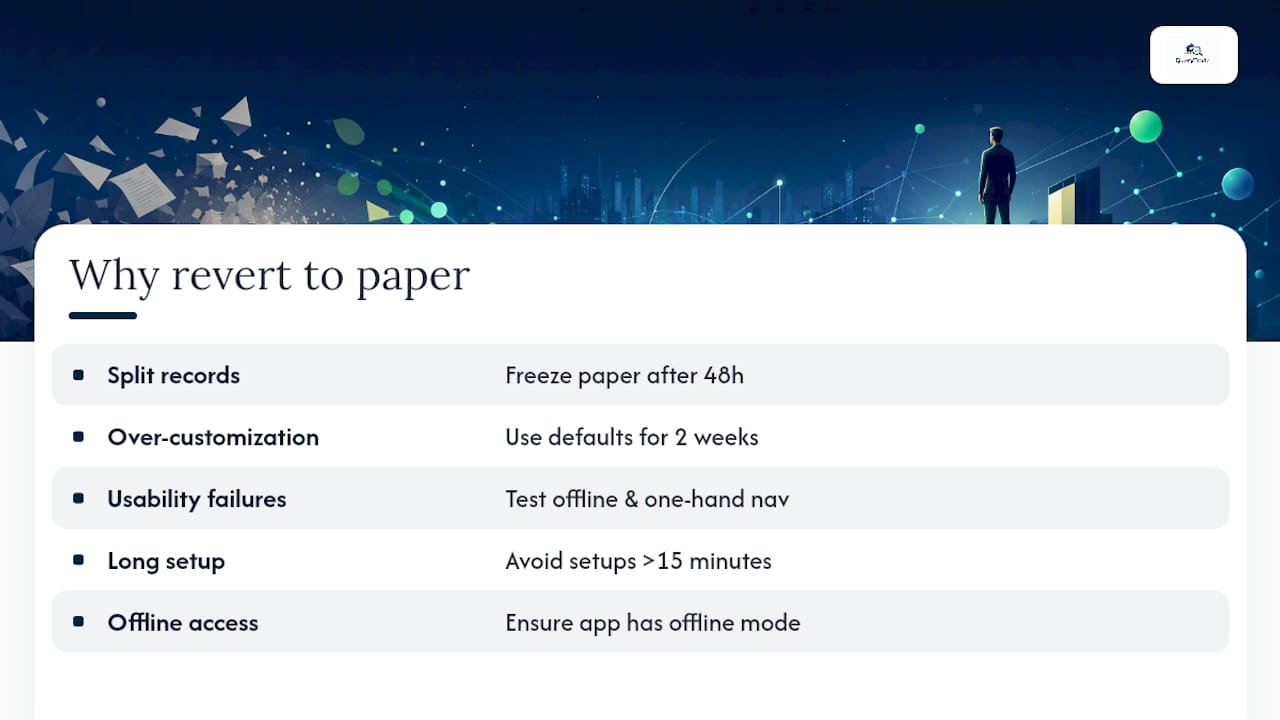
Split records. Running paper and app side by side for weeks creates two sources of truth, and neither is complete. Freeze the paper diary after 48 hours of using the app. No new entries in the notebook, full stop.
Over-customization. Spending your first two weeks tweaking every setting, renaming every pipeline stage, and building a dozen templates delays the habit you're trying to build. Use the app's defaults for the first fortnight before you customize anything.
Usability failures found too late. If you didn't test offline mode and one-handed navigation before committing, you'll discover the gaps on a job site with a customer waiting. Test both before you tell your team to switch.
Red flags worth watching for: a setup process that takes longer than fifteen minutes, no offline access, or a pipeline view that requires more than two taps to update a job status.
Pro Tip: If you catch yourself reaching for the paper diary out of habit in week two, don't fight it with willpower. Physically remove the diary from your van for a few days. Most people adapt within 48 hours once the old option isn't sitting right there.
What Should You Expect in Your First Five Days With a Trades App?
Query Trade was built around one observation: most job management tools are designed for office managers, not the person standing in a client's kitchen with muddy boots. The setup takes under five minutes because it has to. Nobody switching from a paper diary wants a twenty-step onboarding wizard.
In your first five minutes, you'll create your job pipeline and generate a shareable intake link. In your first five days, you'll likely notice inquiries stop arriving as scattered texts and start landing as structured job records, complete with photos and contact details already filled in. Deposit collection through the platform tends to be the feature that surprises people most, since it directly cuts down on the no-shows that paper diaries never prevented.
None of this requires technical skill. If you can send a text message, you can run a job through Query Trade's pipeline.
— Query Trade
How QueryTrade Solves the Paper Diary Problem
Query Trade is built specifically to replace the notebook in your glovebox, not to reinvent how you already work. Every item on the checklist above, from intake forms to photo uploads to deposits, maps directly to a feature you'll use in your first week.
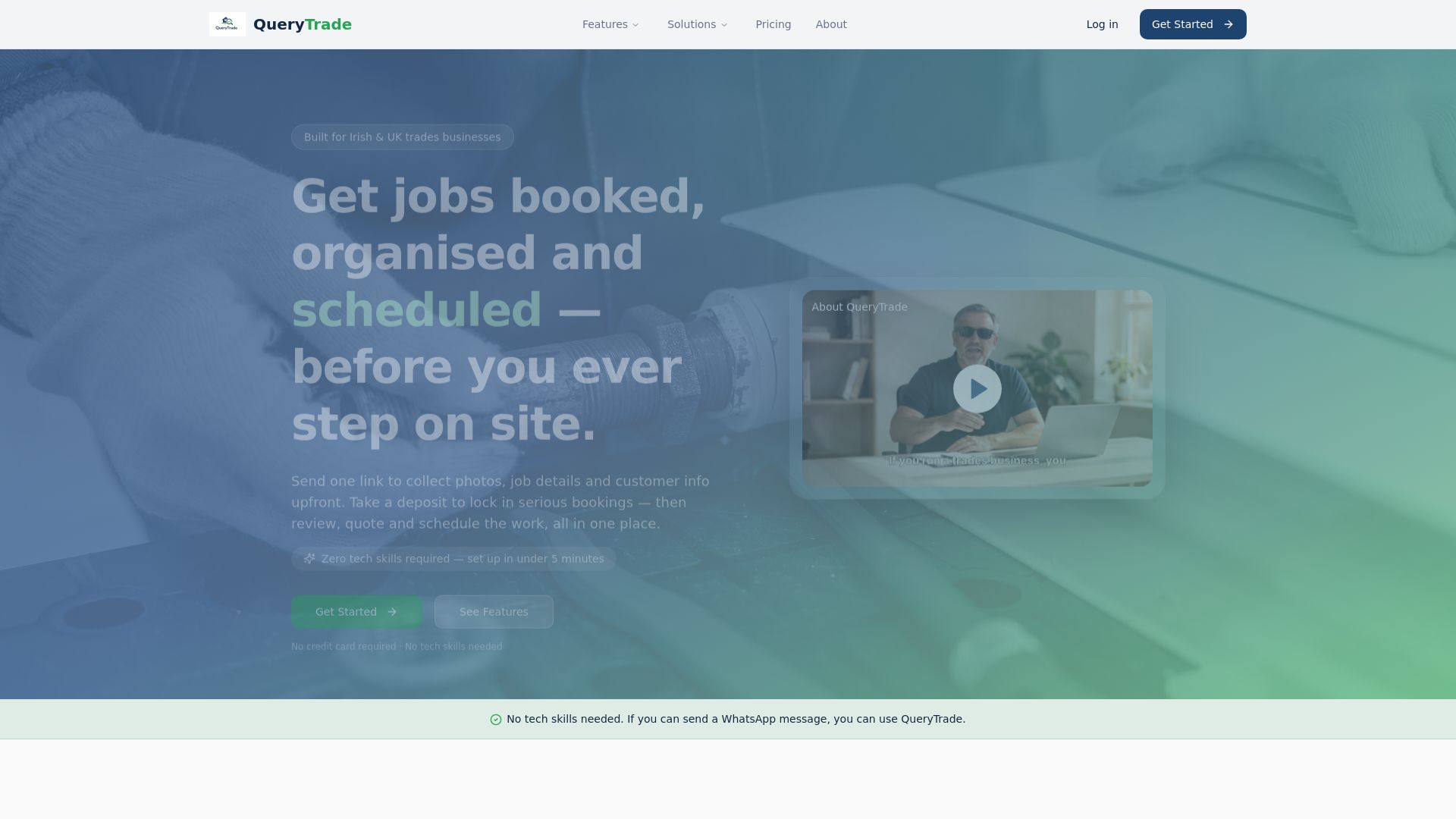
Here's the flow in practice: a customer clicks your shareable intake link, fills in the job details and a photo of the problem, and it lands in your job pipeline as a new inquiry. You move it to "quoted," send a price, and once they accept, you collect a deposit through Stripe before you ever drive to the site. No missed messages, no chasing a number scrawled on a torn page.
Whether you're a builder managing extensions and snag lists, a carpenter juggling kitchen fit-outs, or a landscaper tracking patio and planting jobs, the same pipeline structure adapts to your work without extra configuration. Setup takes under five minutes, and there's a free 30-day trial to test it against your actual jobs before you commit to anything. Head to Query Trade and set up your intake link today.
Sources
For tradespeople who want to dig deeper into the numbers and reasoning behind this switch, these sources cover the research referenced above:
- Digital Transformation Roadmap for UK Trades (2026-2028) | TrainAR Academy
- Key Features in a Job Management Software for a Tradie