
The fastest way to schedule jobs from inquiries is a five-step chain: capture the request, qualify it against a short checklist, confirm the slot in writing, collect a deposit, then schedule and remind. Skip any link and you either waste a trip on a job that was never real, or lose the booking to a competitor who replied first. A tool like QueryTrade builds this exact sequence into one shareable link and takes under five minutes to set up.
Get this right and the payoff shows up fast:
- Fewer missed calls, because every enquiry lands in one place instead of scattered texts and voicemails
- Fewer no-shows, because a deposit and a confirmation message do the reminding for you
- Higher conversion, because a fast, professional reply beats a slow one almost every time
Key Takeaways
Scheduling jobs from inquiries reliably comes down to qualifying before you calendar, confirming fast, and collecting a deposit to lock in commitment.
| Point | Details |
|---|---|
| Qualify before scheduling | Require photos, service type, and access notes so you never block a slot for a vague job. |
| Deposits cut no-shows | Collecting even a modest deposit through Stripe makes customers far less likely to cancel. |
| Confirm and remind twice | Send confirmation immediately, then reminders at 48 hours and the morning of the job. |
| Protect your calendar | Sync with Google or Outlook and build in travel buffers to avoid double-booking. |
| Query Trade runs the whole flow | Its intake link, pipeline, photo uploads, and Stripe deposits set up in under five minutes. |
Table of Contents
- Quick Checklist: What You Need Before You Schedule Anything
- How Do You Turn an Enquiry Into a Scheduled Job?
- Which Tools Actually Make This Workflow Practical?
- What Actually Reduces No-Shows and Cancellations?
- How Do You Stop Double-Booking and Wasted Trips?
- Message Templates You Can Copy Today
- Why Qualification-First Scheduling Beats Fast-and-Loose Booking
- Set Up Your Qualification-First Workflow in Minutes
- Sources
Quick Checklist: What You Need Before You Schedule Anything
Before a single job goes on the calendar, get four things locked down.
- Intake fields that matter. Address, phone number, service type, photos of the problem, and access notes (gate codes, parking, pets). Anything less and you're guessing.
- A deposit policy you can say out loud. Decide the amount (a flat fee or a percentage of the estimated job) and write one sentence explaining it to customers.
- Calendar rules. Block travel time between jobs and set the windows you're actually available, not the windows you wish you were available.
- Auto-replies ready to fire. A same-minute response asking for photos and confirming next steps, even if you can't personally reply for hours.
Pro Tip: Ask for photos before you ask for a phone number. A blurry picture of a leaking pipe tells you more about the job than a five-minute call ever will.
Get these four in place and you've already fixed most of the reasons trade businesses lose jobs to slow follow-up.
How Do You Turn an Enquiry Into a Scheduled Job?
The workflow breaks into six moves. Do them in order and you'll rarely book a dud.
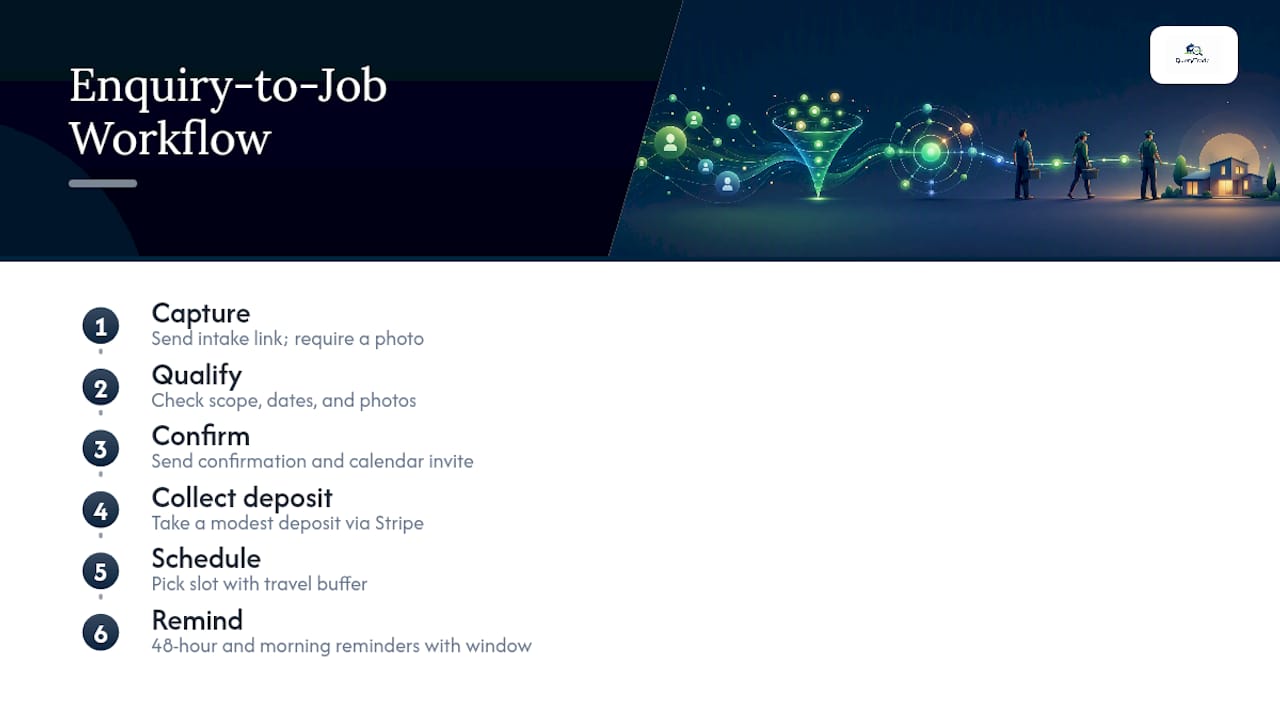
Capture. Send a short intake link the moment someone reaches out, whether that's a phone call, a WhatsApp message, or an Instagram DM. Require at least one photo where the job type allows it. This one step is what separates a real enquiry from a tire kicker.
Qualify. Check the submission against a short list: is the scope clear? Are the requested dates realistic? Are photos included? Vague descriptions, no available dates, or missing photos are red flags. Pause and ask a follow-up question before you touch the calendar. Qualifying leads before scheduling prevents the wasted trips that eat into a trade business's margin on tight jobs.
Confirm. Once the details check out, send an automated confirmation and calendar invite right away, ideally the same minute a deposit lands or a verbal yes comes in. Waiting even a few hours gives the customer time to book someone else.
Collect a deposit. A deposit of even a modest flat amount changes how seriously a customer treats the booking. Framing it as "securing your slot" rather than "a fee" makes it an easier ask. Running that deposit through Stripe keeps the payment and the booking record in one place instead of chasing a bank transfer later.
Schedule. Pick a slot with a travel buffer built in, not back to back, and move the job's status to "Scheduled" in your pipeline so nothing sits in limbo.
Remind. Send one reminder 48 hours out and a second one the morning of, with your arrival window and a contact number. That second message is the one that actually stops no-shows.

Which Tools Actually Make This Workflow Practical?
You don't need a developer to run this. The feature set that matters is short:
- A shareable intake link that replaces the back-and-forth of "can you send me some details?"
- Photo uploads attached directly to the enquiry, so quoting doesn't require a site visit
- A job pipeline with stages (New, Contacted, Quoted, Scheduled, Completed) so you always know what's actually confirmed
- Calendar sync with Google or Outlook, so a scheduled job can't collide with one already on your books
- Stripe deposits collected at the point of booking, not chased afterward
- Auto-reply templates for WhatsApp and Instagram, so a customer gets an instant response even at 9 p.m.
Setting up QueryTrade takes under five minutes: create your account, customize the intake form for your trade, and share the link on your website, social bios, or in your first reply to a new enquiry. No developer, no lengthy onboarding.
What Actually Reduces No-Shows and Cancellations?
Deposits work because money changes behavior. A customer who has paid $30 or $50 to hold a slot is far less likely to ghost you than one who made a free phone booking, and collecting that deposit through Stripe also cuts the administrative back-and-forth of invoicing after the fact.
A few tactics compound that effect:
- Confirm within minutes of booking, then send reminders at 48 hours and again the morning of the job
- Attach a scope checklist to the confirmation so nobody's surprised when the quote covers exactly what the photos showed
- Reserve a short phone call for anything unclear. Human-assisted booking, where a person verifies the details before the slot is locked in, catches the oddball jobs that automation alone would mis-schedule
Treat the phone call as a backstop, not your default. Most enquiries with clear photos and a filled-in form don't need one.
How Do You Stop Double-Booking and Wasted Trips?
Calendar chaos usually comes down to three fixable habits.
- Set a default travel buffer between jobs and define your service area so you're not accepting a job an hour outside your normal patch without pricing in the drive
- Sync your calendar with Google or Outlook so every job appears in one place your whole crew can see, not just your own head
- Only calendar jobs that have cleared the qualify stage in your pipeline. A "New" or "Contacted" enquiry has no business sitting on a Tuesday time slot
- Group nearby jobs on the same day and hold a slot or two open for urgent callouts, since emergency work pays a premium and shouldn't be turned away because your week is fully booked with routine jobs
Message Templates You Can Copy Today
You don't need to write these from scratch every time.
- Intake auto-reply: "Thanks for reaching out! Please send a few photos of the job and your preferred dates using [this link], and we'll get back to you within a few hours."
- Confirmation: Include the date, time window, what work will be done, a link to pay the deposit, and your cancellation policy in plain language.
- Reminder: A short message 48 hours out and again the morning of, with your ETA window and a direct number to call if plans change.
Pro Tip: Keep the tone professional but plain. "We'll be there between 9 and 11 a.m." beats "We look forward to serving you" every time, and it's what customers actually want to know.
Automating these with auto-reply templates means the tone stays consistent even on your busiest week.
Why Qualification-First Scheduling Beats Fast-and-Loose Booking
Most trade businesses lose money on the jobs they never should have booked, not the ones they turn down. A vague enquiry that skips the qualify step almost always turns into a wasted trip, a scope argument, or a no-show.
The usual objection is that adding a form or a photo request costs you leads. In practice it filters out the enquiries that were never going to convert anyway, and it speeds up the ones that are.
That's the whole case for building qualification into the system rather than relying on memory or good intentions on a busy Monday.
— Query Trade
Set Up Your Qualification-First Workflow in Minutes
Query Trade is the practical alternative to juggling texts, missed calls, and a paper diary for scheduling jobs from enquiries in Ireland and the UK. Every step in this workflow, the intake link, the photo uploads, the pipeline stages, the Stripe deposit, and the auto-replies, is already built into one platform, so you're not stitching together three different apps to get the same result.
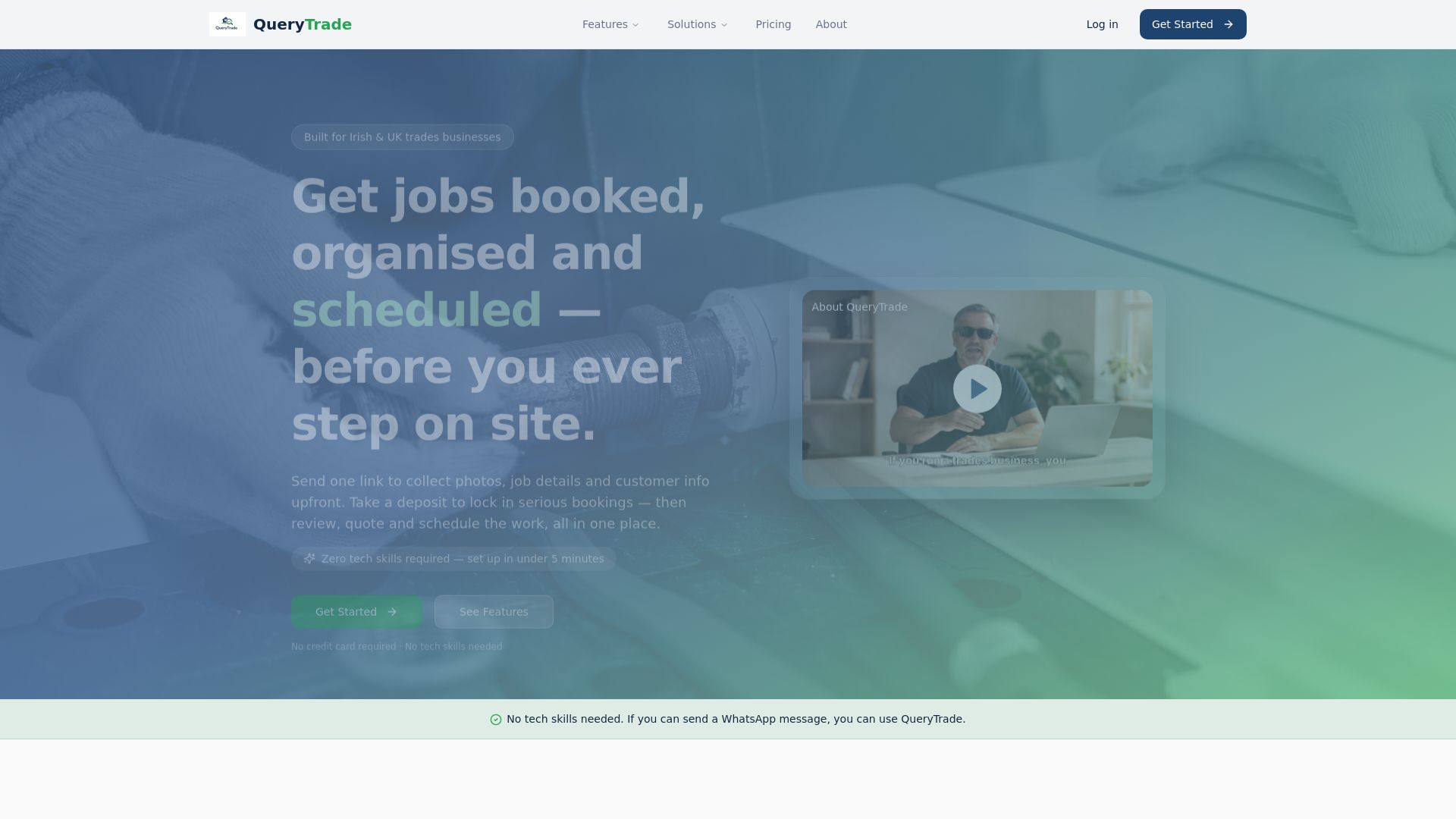
Setup takes under five minutes and needs no technical skill: create your form, share your link, and start moving enquiries through New, Contacted, Quoted, Scheduled, and Completed the same day. Check the full feature list or explore the job pipeline in detail to see how it maps onto the workflow above, then start your trial and get your first intake link live before your next call comes in.
Sources
For automating job creation from incoming requests, see this Zapier field service automation guide. For broader SME tool guidance, check GEC's resource list and Ample Express's field service software guide.
- Top resources for SMEs in Ireland — GEC