
Setup in five minutes is a real number, not a marketing line: create your account, publish your intake link, connect Stripe and your calendar, activate the pipeline, and run one test job. That's the whole job. Nothing here needs a technician or an afternoon off the tools.
Here's what to knock out, in order:
- Create your account and skip anything marked optional
- Publish your shareable customer intake link
- Connect Stripe for deposits and sync your calendar
- Turn on the job pipeline (New, Contacted, Quoted, Scheduled, Completed)
- Run one test enquiry through the whole system before a real customer does
Start the free trial now and have this running before your next call-out.
Key Takeaways
QueryTrade's setup in five minutes works because it strips the process down to five actions: account, link, payments, pipeline, and one test job.
| Point | Details |
|---|---|
| Gather essentials first | Have email, phone, one job photo, and bank details ready before you start. |
| Publish the intake link fast | Use only required fields, name, contact, photo, description, date, then share it on WhatsApp and social. |
| Connect Stripe for deposits | Deposits cut down on no-shows and get bank mismatches sorted with a quick country check. |
| Run one test job first | Submit a dummy enquiry to confirm notifications, photos, and deposits all work before a real customer does. |
| Roll out with QueryTrade | Start with one crew, keep the form minimal, and let QueryTrade's five-minute setup handle the first mile of every enquiry. |
Table of Contents
- What you need ready before setup in five minutes starts
- How do you create an account and publish an intake link?
- How do you connect Stripe and sync your calendar fast?
- Activating the pipeline and quoting from photos
- Run one test job before you go live
- Getting your crew to actually use it
- Start capturing jobs with QueryTrade today
- Frequently Asked Questions
- Sources
What you need ready before setup in five minutes starts
Grab these four things first, or you'll be pausing mid setup to go find them:
- An email and phone number you actually check between jobs
- One photo of past work from your phone, for your intake form
- Bank details for Stripe, so deposits land in your account
- A rough deposit rule ("20% to book" or a flat callout fee)
Each item removes a stopping point. No photo means a blank intake form; no bank details means no deposits until you dig them out later.
Pro Tip: Copy your usual "thanks for the enquiry, here's the price" text into a notes app now. You'll reuse it as a reply template in minutes, instead of typing it fresh every time.
Sort these on the walk to your van and the actual setup in five minutes becomes closer to three.
How do you create an account and publish an intake link?
Sign-up asks for your name, trade, and email. That's it. Everything else, logo, business hours, a longer bio, can wait, and skipping it is exactly how you keep this under five minutes.
The intake form is where most tradespeople overthink it. Query Trade ships with a working default, so you're editing, not building from scratch. The fields that matter:
- Customer name and phone number
- Job photo upload
- Short job description (one line is fine)
- Preferred date and time
Leave everything else off for now. A job management app that automates the inquiry to job handoff only saves time if the form itself doesn't force customers through fields they'll abandon. Every extra field is a chance for someone to close the tab instead of sending you the job.
Once the link is live, get it in front of people the same day:
- Paste it into a WhatsApp message: "Send me your job details here and I'll get back to you with a price: [link]"
- Add it to your Instagram bio or a story
- Read it out on your voicemail greeting so missed calls still turn into enquiries
Pro Tip: Save the WhatsApp line as a saved reply on your phone. You'll send that exact link fifty times in your first month, and typing it out each time defeats the purpose of a five-minute setup.
A plumber configuring this between jobs, for instance, can skip straight to QueryTrade for plumbers for a field set already tuned to callouts and quotes rather than building one from a blank template.
How do you connect Stripe and sync your calendar fast?
Deposits change behavior. Asking for money upfront filters out the tire-kickers and cuts down on the no-show that costs you a wasted slot. That's not a guess, it's why most trades that take deposits see fewer cancellations than those who don't.
Connecting Stripe takes three steps:
- Enter your business bank account and sort code (or IBAN)
- Confirm your business name matches what's on the account
- If it bounces, it's almost always a country mismatch, check the account is registered in the country you selected during sign-up
Calendar sync is faster:
- Link Google Calendar or Outlook from the settings menu
- Confirm the calendar you want jobs to land on is selected, not a shared or old one
- Check the time zone matches where you're actually working
Both connections run in the background after this. You won't touch them again unless you switch banks.
Activating the pipeline and quoting from photos
The pipeline is five stages: New, Contacted, Quoted, Scheduled, Completed. That's the whole system, and it's already turned on by default, so there's nothing to build here, just something to understand before jobs start moving through it.
- A new enquiry lands in New the moment someone submits your intake form
- You move it to Contacted once you've replied
- Quoted once you've sent a price, often straight from the photo they attached
- Scheduled once a date is confirmed and the deposit's in
- Completed when the job's done
That photo upload does real work. You can price a lot of jobs, a leaking trap, a socket that needs replacing, a fence panel, from a phone photo without driving out to see it first. Trade-specific field-to-office tools consistently point to photo-driven quoting as one of the biggest time savers for exactly this reason.
Turn on instant notifications before your first real enquiry comes in. Push and email are both on by default, but check both are ticked so you're not finding out about a job two days late.
Pro Tip: Set notifications to your phone, not just email. A job sitting unread in an inbox is a job your competitor already quoted.

Explore the job pipeline in detail if you want to see how stages map to your specific trade before your first live enquiry.
Run one test job before you go live
Skipping this step is how tradespeople end up finding out something's broken with a real customer watching. A quick pilot run exposes most integration and UX problems before they cost you anything.
Run this script, using your own phone as the "customer":
- Submit a dummy enquiry through your own intake link, with a photo attached
- Watch for the notification to hit your phone within seconds
- Move the job to Contacted, then send a quote
- Request the deposit and pay it yourself with a test card or small real payment
- Confirm the job appears on your synced calendar with the right date
If construction-related trades lose weeks to disconnected inquiry flows, a five-minute test run is cheap insurance against the same thing happening to your bookings.
Getting your crew to actually use it
The tool works. Whether your team touches it is a separate problem, and it's the one that kills most software rollouts before they start.
- Start with one crew or one job type, not the whole business at once
- Loop in a foreman or your most reliable tech early, and let them find the rough edges before everyone else does
- Keep your WhatsApp and Instagram reply templates short, three lines, not a paragraph
- Resist adding more required fields once it's live; every field you add back is a completion you lose
Practitioners who track software adoption in the trades consistently recommend starting small and giving new tools a few months before judging whether they've earned their place. Rushing a full rollout in week one is how good tools end up abandoned by week three.
Pro Tip: Ask your foreman to run the next five real enquiries through the system themselves. If it survives contact with someone who didn't build it, it'll survive contact with your whole crew.
Builders juggling multi-stage jobs can see how this plays out in practice on the QueryTrade for builders page.
Why quick wins beat large rollouts
Most software rollouts fail because they try to fix everything at once. The smarter move, backed by how disconnected systems create a real time cost in daily operations, is to fix the single worst problem first: enquiries falling through the cracks.
Query Trade was built around that one problem, the "first mile" between someone wanting work done and you actually getting the job. Everything else, the pipeline, the deposits, the photos, exists to support that one moment.
Run the five-minute setup today. The next enquiry you'd have missed is the only proof you need.
Start capturing jobs with QueryTrade today
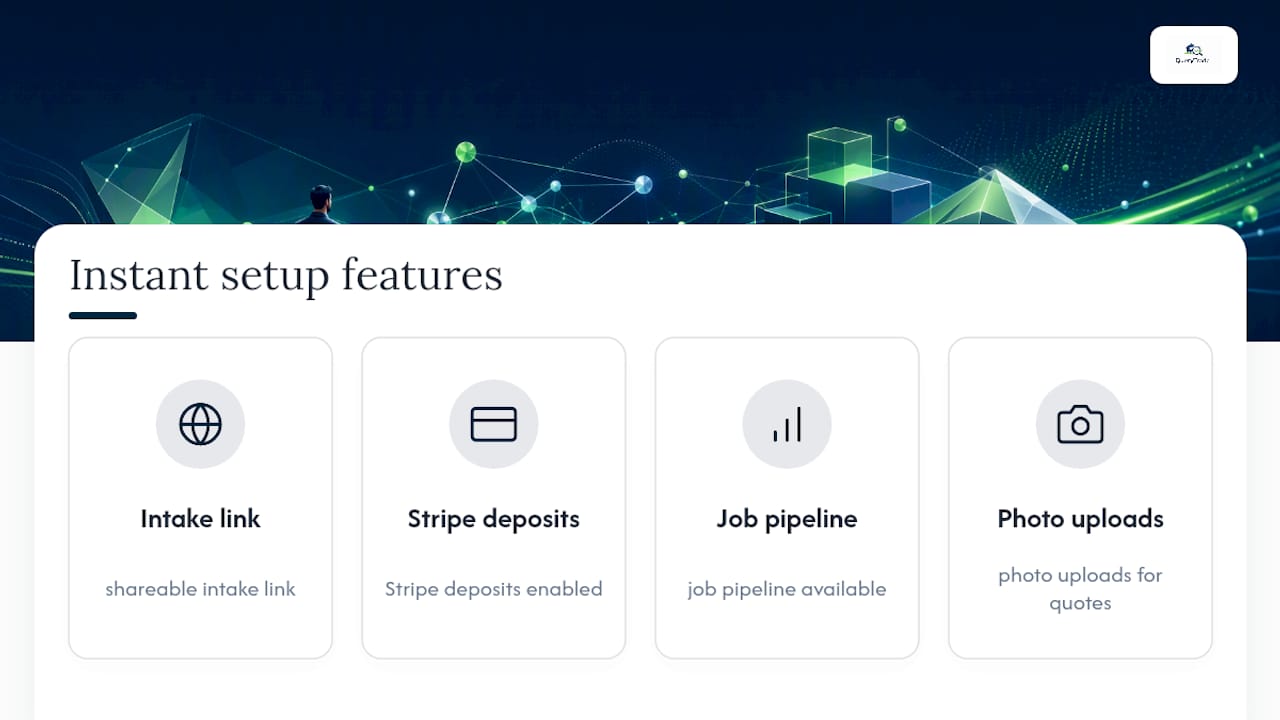
Query Trade replaces the group chat, the missed calls, and the voicemail full of half-written addresses with one link that does the job of all three. The features that make setup in five minutes possible, the shareable intake link, Stripe deposits, the job pipeline, photo uploads, and instant notifications, aren't add-ons you configure later. They're on from the moment you sign up.
That means fewer enquiries lost to a missed call, fewer no-shows once a deposit's on the books, and quotes you can send from a phone photo instead of a second visit. Painters and decorators managing multiple small jobs a week get the same benefit as builders running one big renovation, the pipeline just scales to fit.
Start your free 30-day trial and have your intake link live before your next job finishes. If you want to see the full feature list first, the features page breaks down exactly what's included in the Starter and Pro plans.
Frequently Asked Questions
Can setup in five minutes really cover payments and calendar sync too, or just the account?
It covers all of it. Creating the account takes under a minute, publishing the intake link takes another, and connecting Stripe plus your calendar rounds out the rest. The five minutes includes the full working system, not just a login.
What happens if I skip the test job and go live right away?
You risk a real customer hitting a problem you could have caught yourself, a notification that didn't fire, or a deposit link that failed. The test job takes under a minute and catches most issues before they cost you a job.
Do I need to fill out every field in the intake form to get started?
No. Stick to name, contact, photo, short description, and preferred date. Extra fields slow down customers and increase the chance they abandon the form before sending you the job.
What if my bank details won't connect to Stripe?
The most common issue is a mismatch between the country selected during sign-up and the country your bank account is registered in. Double-check both match before trying again.
Should I roll this out to my whole crew on day one?
No. Start with one crew or one job type, let a foreman test it first, and expand once it's proven itself on a handful of real enquiries.
Sources
- Eight weeks lost — one solution: why connected data is the most valuable investment Ireland’s construction sector can make
- The integration tax: how disconnected systems are hurting your business
- Why your team won’t touch that expensive software (and how to fix it before you go broke)
- Why your job management app might be making you slower (and what to do about it)