
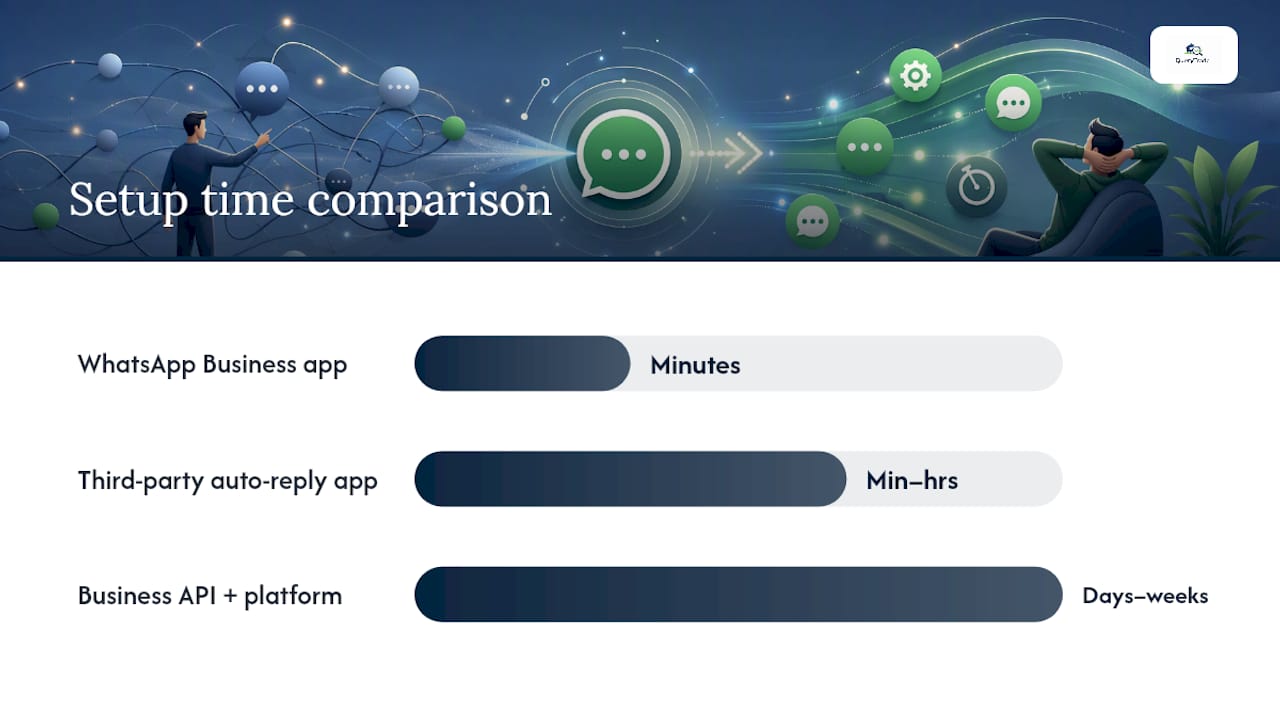
WhatsApp Business gives you a working auto reply for free: Greeting message, Away message, and Quick replies, all built into the app and ready in under five minutes. Personal WhatsApp has no official version of this. Third-party apps try to fill that gap, but they run on workarounds that can get an account suspended. The safe path is to start with WhatsApp Business, then move to the WhatsApp Business API plus a platform once you need replies that read the actual message and respond accordingly.
Here's what that looks like in practice:
- Free and official: WhatsApp Business app (Greeting, Away, Quick replies)
- Not officially supported: Personal WhatsApp (no built-in auto reply)
- Scale option: WhatsApp Business API + a platform for contextual, AI-driven replies
Pro Tip: Once you turn on your away message, send yourself a test message from a second phone or ask a friend to message you. It takes a short time and it's the only way to confirm the trigger actually fires before a real customer hits it.
Key Takeaways
WhatsApp Business's free Greeting, Away, and Quick reply tools cover most solo and small business needs, while the API unlocks contextual automation for teams handling real volume.
| Point | Details |
|---|---|
| Start with WhatsApp Business | Turn on Greeting, Away, and one Quick reply before considering any paid tool. |
| Skip third-party apps on personal accounts | They risk suspension; switching to WhatsApp Business is free and safer. |
| Upgrade when volume demands it | Move to the Business API and a platform once you need contextual replies or a team inbox. |
| Test every template | Send a test message from a second phone and track reply-to-booking time. |
| Pair auto-replies with job intake | Query Trade turns WhatsApp enquiries into a tracked pipeline with photos, deposits, and scheduling. |
Table of Contents
- How to Set Up WhatsApp Auto Reply in WhatsApp Business
- What Away Messages, Greetings, and Quick Replies Actually Do
- Can You Auto Reply From a Personal WhatsApp Number?
- When You Need the WhatsApp Business API
- How to Choose the Right Auto Reply Method
- How Trades Businesses Turn WhatsApp Replies Into Booked Jobs
- Automation Handles the First Reply. You Still Close the Job
- Turn WhatsApp Enquiries Into Booked Jobs With Query Trade
- Frequently Asked Questions
- Sources
How to Set Up WhatsApp Auto Reply in WhatsApp Business
Setting up a WhatsApp business auto reply takes a handful of taps, and the process is nearly identical whether you're on Android or iPhone. Here's the sequence for Android:
- Open WhatsApp Business and tap the three-dot menu in the top right corner.
- Go to Settings → Business tools.
- Tap Away message to set an out-of-hours reply, Greeting message for first-time contacts, or Quick replies for shortcuts you send manually.
- Write your message, then set the schedule: Always send, Custom schedule, or Outside of business hours.
- Choose your recipients: Everyone, Everyone not in your address book, Everyone except, or Only send to.
- Save, then confirm the toggle is switched on.
On iPhone, the path is the same conceptually. Tap Settings at the bottom of the screen, then Business tools, and you'll find Away message, Greeting message, and Quick replies in that menu. The layout differs slightly (iOS uses a tab bar instead of a hamburger menu), but every setting lives in the same place.
A few things trip people up. The "Outside of business hours" schedule only works if you've actually set business hours in your profile first, so check that under Business tools → Business hours before you assume the automation is broken. If a test message doesn't trigger a reply, confirm the app has notification and background data permissions, and check your phone's connection. Most failures come down to one of those three things, not a bug in WhatsApp itself.
What Away Messages, Greetings, and Quick Replies Actually Do
These three tools sound similar but solve different problems, and mixing them up is the most common reason people think their auto reply "isn't working" when it's actually just firing under the wrong condition.
- Greeting message fires the first time someone messages you, or after 14 days of inactivity in that chat. Use it to introduce yourself and set expectations for a brand-new conversation.
- Away message fires based on your schedule, typically outside business hours or during a set custom window. Use it to buy time without losing the lead.
- Quick replies are manual shortcuts you trigger yourself by typing a slash command (like
/quote) to save typing out the same answer fifty times a day.
A greeting might read: "Thanks for reaching out to [Business Name]! We reply to all enquiries within an appropriate timeframe. In the meantime, tell us what you need and we'll get back to you." An away message for a tradesperson could say: "We're currently on a job site and can't answer right now. We'll reply by 5pm today. For urgent callouts, ring [phone number]." A quick reply for pricing questions might just be: "Our starting rate for this job type is €X. Send us a few photos and we'll confirm an exact quote."
All three run on the free app itself, which comes with real limits. Messages are text-only, they don't read or interpret what the customer wrote, and they're tied to a single device unless you're on WhatsApp Business's multi-device feature. That's the tradeoff of the free automation tier: fast to set up, zero cost, but static.
Pro Tip: Every automated message you send should do three things: acknowledge the message came through, give an honest timeframe for a real reply, and point to exactly one next step. A message that just says "We'll be in touch" wastes the moment. One that says "Got it, we'll call you by 3pm, feel free to send photos in the meantime" keeps the conversation moving.
Can You Auto Reply From a Personal WhatsApp Number?
Not officially. Regular personal WhatsApp accounts have no built-in automated reply feature, and that's true whether you're on Android or iPhone. If you want automation on a personal number, you're looking at third-party apps, and it's worth understanding how those actually work before you install one.
Most personal-account auto reply apps, including well-known ones like AutoResponder for WA and WhatsAuto, operate by reading incoming notifications on your device or connecting through WhatsApp Web via a QR code scan. Neither method is an official WhatsApp integration. AutoResponder for WA's own App Store listing discloses that it isn't affiliated with WhatsApp and advises users to review WhatsApp's terms before relying on it. WhatsAuto works on a similar principle, offering keyword-triggered replies and scheduling without any official backing from Meta.
WhatsApp's terms of service prohibit unauthorized automated or bulk messaging through unofficial means, and accounts that lean on notification-reading apps risk being flagged or suspended without warning. Add to that the privacy question: these apps typically need notification access and sometimes accessibility permissions, which means they can see message content passing through your phone. Before installing anything in this category, check the developer's privacy policy and permission list the same way you would for any app you're trusting with your messages.
If you genuinely need automation on a personal number, three safer options exist: use WhatsApp's own built-in vacation-style away setting if you're testing the waters, switch the number over to WhatsApp Business (it's free and takes minutes), or move to a hosted platform that integrates through Meta's official channels rather than scraping notifications. For anyone running a side hustle or small trade off a personal number, converting to Business is almost always the better move, since it removes the suspension risk entirely and costs nothing.
When You Need the WhatsApp Business API
The free app handles acknowledgment. It doesn't handle conversation. If a customer asks "Do you do rewires on period homes?" the built-in tools can't read that question and respond to it, they can only fire a fixed message on a trigger. That's where the WhatsApp Business API comes in, paired with a platform that adds logic or AI on top of it.
The API itself is not a consumer app. It's a set of endpoints that a business connects through an approved provider, and it enables things the free tier can't touch: multiple team members answering from one shared number, message templates approved for outbound use outside the 24-hour window, and integration with booking systems, CRMs, or AI agents that can actually parse what a customer wrote and respond contextually. Bravos AI notes that AI-based WhatsApp agents built on this infrastructure can pull from a business's own data (hours, pricing, catalogs) and answer around the clock, which is a different category of automation from a static away message.
| Requirement | What it involves |
|---|---|
| Verified business | Meta requires business verification before API access is granted |
| Integration partner | Most businesses connect through a Business Solution Provider rather than raw API access |
| Setup cost | Varies by provider; often includes onboarding and monthly platform fees |
| Conversation pricing | Meta charges per conversation category once you exceed free tier limits |
| Team access | Supports multiple agents/seats on one business number |
Common use cases include booking flows for service businesses, lead-qualification bots that ask a few questions before handing off to a human, shared inboxes for support teams, and automated follow-up sequences after a quote goes out. The decision point is usually volume and complexity: if you're answering fifteen messages a week solo, the free app is plenty. If you've got a team fielding hundreds of enquiries and need replies that actually understand what's being asked, the API investment starts paying for itself quickly.
How to Choose the Right Auto Reply Method
The right choice comes down to five questions: what account type you're running, how many messages you get, whether you need context-aware replies, whether more than one person needs access, and what you're willing to spend.
Three pathways cover almost everyone:
- WhatsApp Business app — solo operators and small businesses with low-to-moderate message volume who need acknowledgment, not conversation.
- Keyword or rule-based third-party tools — a middle step for personal accounts that need basic automation, understood with the risks above front of mind.
- Business API + platform — teams or businesses with real volume, multiple agents, or a need for contextual, AI-assisted replies.
| Method | Account required | Setup difficulty | Features | Privacy/TOS risk | Best for |
|---|---|---|---|---|---|
| WhatsApp Business app | WhatsApp Business | Minutes, no developer | Greeting, Away, Quick replies | Official, low risk | Solo operators, small businesses |
| Third-party auto-reply app | Personal or Business | Minutes to hours | Keyword rules, scheduling | Unofficial, suspension risk | Personal accounts wanting basic automation |
| Business API + platform | Verified Business (API) | Days to weeks, provider needed | Contextual replies, multi-seat, templates | Official, low risk | Teams, high volume, AI use cases |
Run through this in under a minute: If you're one person answering under fifty messages a week, start with the free app. If you're a team, or you're getting enquiries you can't answer fast enough to stay competitive, look at the API route. If you're on a personal number and can't switch to Business for some reason, weigh the convenience of a third-party tool against the real chance of losing access to your number.
Pro Tip: *For a solo tradesperson, the highest-leverage move is also the cheapest: turn on a greeting, an away message, and one quick reply that answers your most common question (usually pricing or availability).
How Trades Businesses Turn WhatsApp Replies Into Booked Jobs
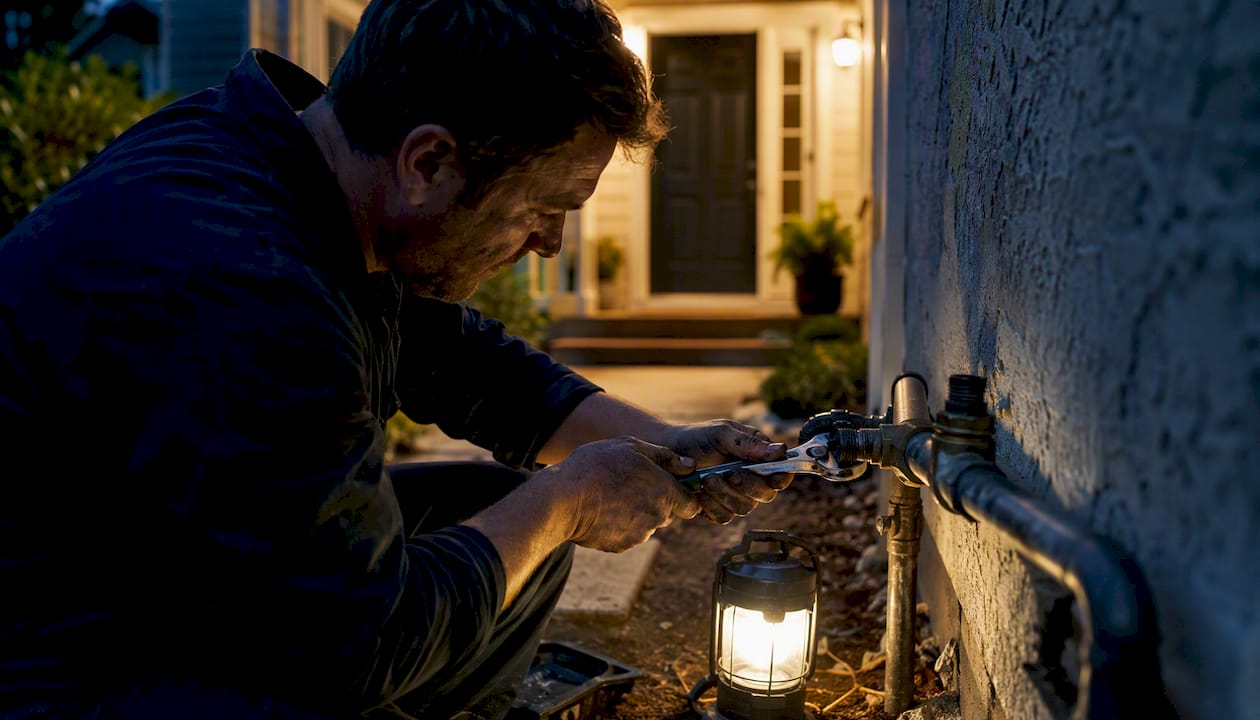
A homeowner messages a plumber at 9:40pm asking about a leaking valve. The greeting fires instantly: "Thanks for reaching out, we reply within one business day, but for urgent leaks call [number] directly." That single message does the job an unanswered chat can't. It doesn't just avoid awkward silence; it opens a workflow.
The strongest version of this workflow looks like this: incoming WhatsApp message triggers an auto reply that asks one qualifying question ("What's the issue, and roughly where are you based?"), then points the customer to a link where they can submit photos and job details through a proper intake form, and the tradesperson follows up from there to confirm and book. This is exactly the gap QueryTrade's auto-reply templates are built to close, turning a WhatsApp thread into a structured job entry instead of a scroll of unread texts.
The qualitative case for this is straightforward: faster reply times keep leading warm before a competitor answers first, and asking for photos or a deposit earlier in the conversation cuts down on no-shows because the customer has already committed something before the job is on the calendar. Response speed and message clarity are consistently tied to conversion in customer messaging, and trades work is no exception. A customer who gets an instant, specific acknowledgment is far more likely to stick around than one staring at three unanswered gray checkmarks.
To put this into practice: keep your auto reply under two sentences, ask for one piece of information you actually need (location, job type, or photos), and always give the customer a link or a next action rather than leaving them to wait indefinitely.
- Send the greeting immediately, then ask a single qualifying question.
- Request photos or a brief description before quoting on anything beyond simple jobs.
- Use a deposit request once a job is confirmed, not before, to keep the intake frictionless.
Automation Handles the First Reply. You Still Close the Job
Auto replies solve a real problem: the silence between "customer messages you" and "you actually see it." What they don't solve is the judgment part, deciding if a job is worth taking, sizing it up, and closing the booking. That still needs a human, and treating automation as a full replacement for that is where businesses get it wrong.
The businesses that get the most out of this aren't the ones with the fanciest AI bot. They're the ones that test their templates the way they'd test an ad, checking whether a rewritten greeting gets more replies or faster bookings, and tracking how long it takes from first message to confirmed job. Most people set up an away message once and never touch it again. That's a missed opportunity, because the wording of that first automated line is doing real work on whether a lead sticks around or goes cold.
Turn WhatsApp Enquiries Into Booked Jobs With Query Trade
Query Trade is the difference between a WhatsApp auto reply that just buys you time and one that actually moves a job forward. Where the built-in Business tools stop at "we'll get back to you," Query Trade pairs pre-built auto-reply templates with a job intake link, so the same message that acknowledges a customer also captures their job details, photos, and location in one step.
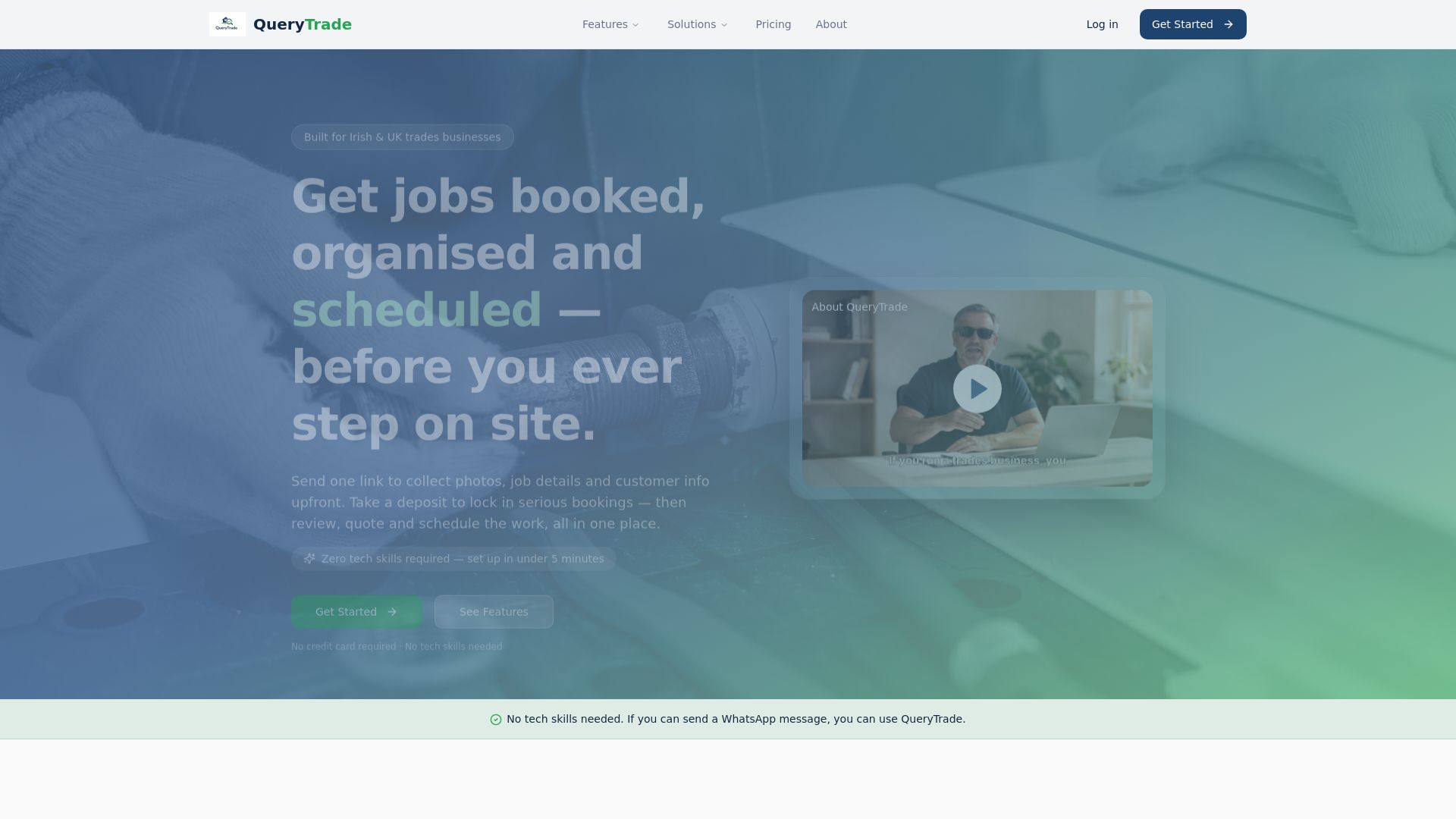
Once an enquiry comes in, it lands in a visual pipeline (New, Contacted, Quoted, Scheduled, Completed) instead of getting buried in a chat thread. You get automated notifications when a new lead submits a form, calendar sync so bookings don't clash, and built-in deposit collection through Stripe to cut down on no-shows before a job ever hits the calendar. The whole thing is built for tradespeople specifically, plumbers, electricians, carpenters, painters, builders, and it's set up in under five minutes with no technical background needed.
Query Trade offers a free 30-day trial, so you can plug your existing WhatsApp auto-reply setup into a real job pipeline and see whether enquiries turn into booked jobs faster. Check out the full feature set and start your trial today.
Frequently Asked Questions
Does WhatsApp have a built-in auto reply feature? Yes, but only on WhatsApp Business. The free app includes Greeting messages, Away messages, and Quick replies, all configurable through Settings → Business tools.
Can I set an auto reply on regular personal WhatsApp? Not officially. Personal WhatsApp has no built-in automated reply option. Third-party apps exist but carry suspension and privacy risks, so switching to WhatsApp Business is the safer route.
What's the difference between a greeting message and an away message? A greeting message fires on first contact or after 14 days of silence in a chat. An away message fires based on a schedule, usually outside business hours, regardless of whether it's a new or existing contact.
Do I need the WhatsApp Business API for a small business? Probably not at first. The API mainly pays off once you need multiple team members answering from one number or replies that read and respond to actual message content, not just fixed triggers.
Are third-party WhatsApp auto-reply apps safe to use? They carry real risk. Most work by reading notifications or connecting through WhatsApp Web rather than an official integration, which can violate WhatsApp's terms and lead to account suspension.
How do tradespeople use WhatsApp auto-replies effectively? The most effective setups pair an auto reply with a job intake step, acknowledging the message, asking one qualifying question, and directing the customer to submit photos or details through a link like the ones Query Trade provides.
Sources
- How to Set Auto Reply in WhatsApp Business + 23 Examples | Drag Blog
- AutoResponder for WA — Apps on Google Play
- WhatsApp Auto Reply in 2026: How to Set It Up (Out-of-Office, Business and AI) | Bravos AI