
You have two practical ways to turn a WhatsApp chat into a working enquiry form. Build a wa.me link with a pre-filled message yourself, or use a dedicated WhatsApp-form service that pushes structured responses straight to your phone and a dashboard, like QueryTrade.
A plain WhatsApp wa.me link is free and takes two minutes to set up. It works well if you only need a single, static "message me" button on a website or Instagram bio. The trade-off: customers type whatever they want, in whatever order they want, and you end up chasing missing details. The WhatsApp Business API sits above both options as the enterprise-grade route, but it's overkill for a solo plumber or a five-person landscaping crew.
Here's how to pick:
- Choose a DIY wa.me link if you need something live today and don't mind manually sorting replies.
- Choose a form service if you're getting repeat enquiries and want photos, job details, and a pipeline you can actually manage.
Key Takeaways
The fastest fix for capturing WhatsApp enquiries is a wa.me link for one-off use and a structured intake tool like QueryTrade for anything recurring.
| Point | Details |
|---|---|
| DIY works for low volume | A wa.me link with a pre-filled message takes minutes and costs nothing to set up. |
| Structure beats free text | Required fields like postcode and job type cut down on back-and-forth follow-ups. |
| Photos speed up quoting | Attaching photos to the original enquiry avoids a second round of messages. |
| Placement drives volume | Website footers, QR codes, and PPC landing pages generate more clicks than a buried contact page. |
| QueryTrade organizes the pipeline | It turns WhatsApp-style enquiries into a trackable job pipeline with instant photo-enabled notifications. |
Table of Contents
- How to Create a DIY WhatsApp Link to Form With a Pre-Filled Message
- Why a Dedicated WhatsApp Form Service Beats a Bare Link for Repeat Enquiries
- Where Should You Place Your WhatsApp Form Link?
- Copy-and-Paste Templates for Trade Enquiries
- Fixing Common WhatsApp Link Problems
- What Most Advice on WhatsApp Forms Gets Wrong
- Get a WhatsApp-Style Intake Form Without Building One Yourself
- Frequently Asked Questions
- Sources
How to Create a DIY WhatsApp Link to Form With a Pre-Filled Message
A wa.me link is just a URL that opens a WhatsApp chat with a specific number, and it can carry a pre-filled message so the customer doesn't have to type a word before hitting send, according to WhatsApp's own FAQ. That pre-filled text is what turns a basic "chat with us" button into something closer to a real intake form.
The format looks like this:
https://wa.me/353871234567?text=Hi%2C%20I%27d%20like%20a%20quote%20for%3A%0AJob%20type%3A%0AAddress%2FPostcode%3A%0APreferred%20date%3A
Break that down and it's simple:
- Start with
https://wa.me/followed by your number in full international format, no plus sign, no spaces. - Add
?text=followed by your message. - URL-encode every space (
%20), comma (%2C), and line break (%0A) so the message renders correctly.
A Stack Overflow thread on building website forms that trigger WhatsApp click-to-chat links walks through sample code for turning a basic HTML form into a wa.me redirect, which is worth a look if you want a customer to fill in fields before the link fires.
Keep the pre-filled message short but specific: name, job type, address or postcode, whether photos are attached, and a preferred time slot. Anything longer and customers just delete it and type their own message anyway.
Pro Tip: Make the postcode or area the first thing in your pre-filled message. When fifteen enquiries land in one evening, that single field lets you triage by location in seconds instead of reading every message top to bottom.
The upside of this route: zero sign-ups, zero cost, live in minutes. The downside: you're still manually copying details into a spreadsheet or notebook, and nothing stops a customer from deleting your template and sending "hey is this still available."
Why a Dedicated WhatsApp Form Service Beats a Bare Link for Repeat Enquiries
A wa.me link solves the "how do I share a whatsapp link to form" problem once. It doesn't solve it for the fortieth enquiry that week. That's where a purpose-built intake tool earns its keep.
Structured form links capture job type, address, and photos before the conversation even starts, which cuts the repetitive back-and-forth that eats up a tradesperson's evening, as shown in examples like bilingual site, phone, and WhatsApp for Hispanic-serving dentists. Instead of "can you send a photo of the leak" three texts into a chat, you get the photo attached to the original enquiry.
What tradespeople actually need from this kind of setup:
- Structured fields for job type, address, and availability, not a free-text box.
- Photo upload built into the submission, not a follow-up request.
- Instant WhatsApp notification the moment a lead comes in.
- Routing to the right team member if you're not a one-person operation.
- A searchable pipeline so a quoted job doesn't vanish into a chat thread.
QueryTrade was built around exactly this gap. It gives you a shareable customer intake form, sorts enquiries into a job pipeline from New through Contacted, Quoted, Scheduled, and Completed, and sends instant notifications with photo uploads attached, so nothing sits unread in a WhatsApp thread until it's too late.
Generic WhatsApp-form builders usually offer a free tier, but most cap you at one form, strip out analytics, or block photo uploads until you upgrade. QueryTrade runs on a 30-day free trial with a straightforward subscription after that, no code, and setup that takes under five minutes.
Where Should You Place Your WhatsApp Form Link?
The link itself matters less than where you put it. A wa.me URL buried on a "Contact" page nobody visits does nothing.
High-value placements worth testing:
- Website contact page and footer, so it's visible on every page.
- Pay-per-click landing pages, where intent is already high.
- Instagram and Facebook bios.
- Email signatures on every quote and invoice you send.
- Printed job sheets and van signage, paired with a QR code.
For a website, a simple HTML button linking to your wa.me URL works fine. If you're using Google Forms and want to route submissions toward WhatsApp, you've got two paths: point the Google Form's confirmation page to your wa.me link so customers finish by sending a message, or use a builder designed to convert Google Forms responses into WhatsApp-friendly flows.
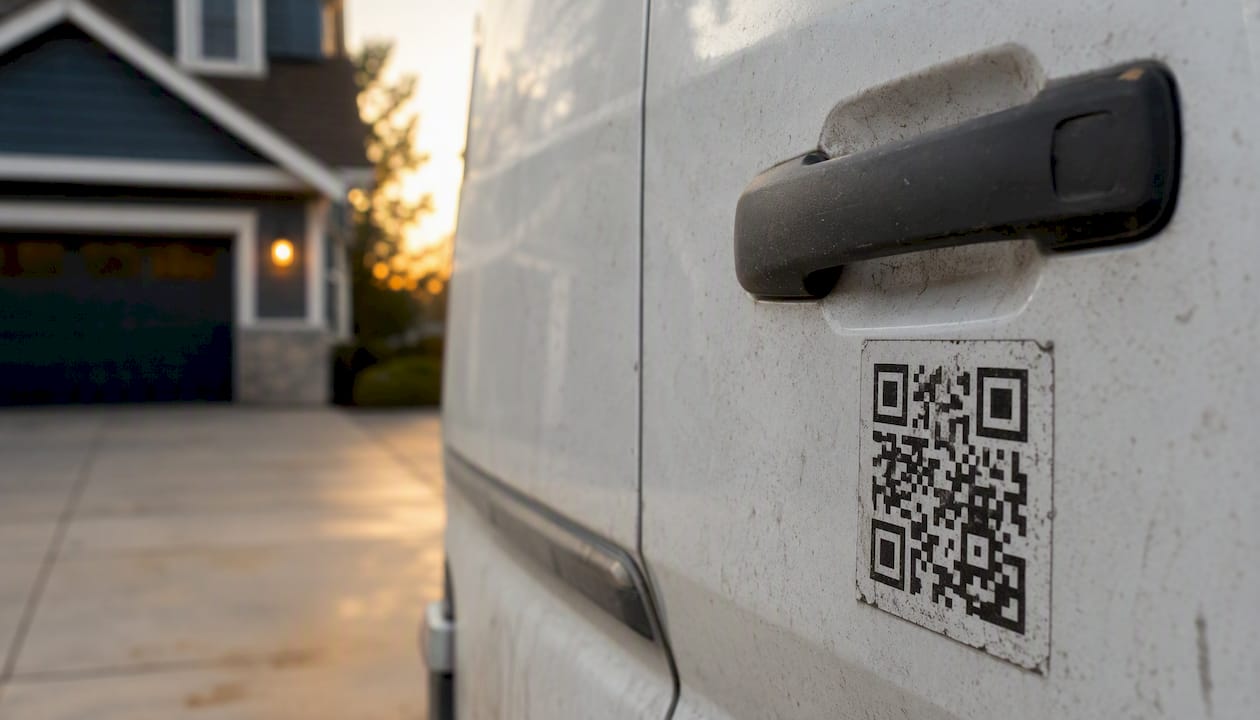
Pro Tip: Print a QR code on your work van and job sheets that links straight to your form. A customer standing in their driveway, looking at a leaking gutter, is far more likely to scan a code than search for your business number.
Copy-and-Paste Templates for Trade Enquiries
You don't need to write this from scratch. Here's a field set that works across most trades:
- Job type (repair, install, quote, emergency)
- Short description of the issue
- Address or postcode
- Preferred date and time
- Photos attached (yes/no)
- Approximate budget
- Name and phone number
Two sample pre-filled messages you can adapt right now:
Short version:
Hi, quick job enquiry. Job type: ___ Postcode: ___ Photos attached: Y/N
Longer version:
Hi, I'd like a quote. Job type: ___ Description: ___ Address/Postcode: ___ Preferred date: ___ Budget range: ___ Photos: ___
Make postcode and job type required. Everything else, including budget, can stay optional since plenty of customers don't know what a job should cost until you tell them. The same field logic shows up in University of Edinburgh's general enquiries form and University College Cork's web enquiry form: a handful of required fields, everything else optional, routed to the right desk. Trade intake works the same way, just with a hammer instead of an academic department.
Fixing Common WhatsApp Link Problems
A wa.me link that doesn't work usually comes down to one of a few things.
Frequent culprits:
- The number isn't registered on WhatsApp at all, so the chat window never opens.
- The customer's device doesn't have WhatsApp installed, which forces desktop users into WhatsApp Web instead.
- Special characters in the pre-filled message weren't URL-encoded, breaking the text.
- A browser pop-up blocker stops the link from opening a new tab.
- Customers hesitate to send personal details like their address through a personal chat app.
Generic free-tier form builders add their own limits on top of this: one form only, no photo attachments, no analytics on who actually clicked through. A paid service like QueryTrade sidesteps most of this because submissions land in a proper dashboard, not just a raw chat thread, and photo uploads are built into the form itself rather than tacked on afterward.
Quick troubleshooting steps: test your link on both mobile and desktop before sharing it anywhere, always URL-encode your message, double-check the number format (country code, no plus sign, no spaces), and give customers without WhatsApp a fallback, whether that's an email address or a standard web form.
What Most Advice on WhatsApp Forms Gets Wrong
Most guides treat the wa.me link as the finish line. It's the starting line. A pre-filled message gets someone into your inbox, but it does nothing to organize what happens after fifteen of those messages arrive on a Tuesday.
The conventional advice, set up a link, drop it everywhere, works fine until volume shows up. Then you're scrolling through WhatsApp trying to remember which "leaking pipe, Thursday?" message you already quoted and which one you forgot. That's not a WhatsApp problem. It's a pipeline problem, and no amount of clever URL encoding fixes it.
What we'd prioritize first: get a link live today, even a rough one, so you're not losing enquiries while you figure out the rest. Then, once you're fielding more than a handful a week, move to something that turns those messages into tracked jobs instead of a scroll-back exercise. The point of capturing an enquiry was always to win the job, not just to receive the text.
Get a WhatsApp-Style Intake Form Without Building One Yourself
If you've read this far, you've probably already spotted the gap: a wa.me link gets messages to your phone, but it doesn't organize them once they arrive. That's the exact problem QueryTrade was built to solve for trades businesses.
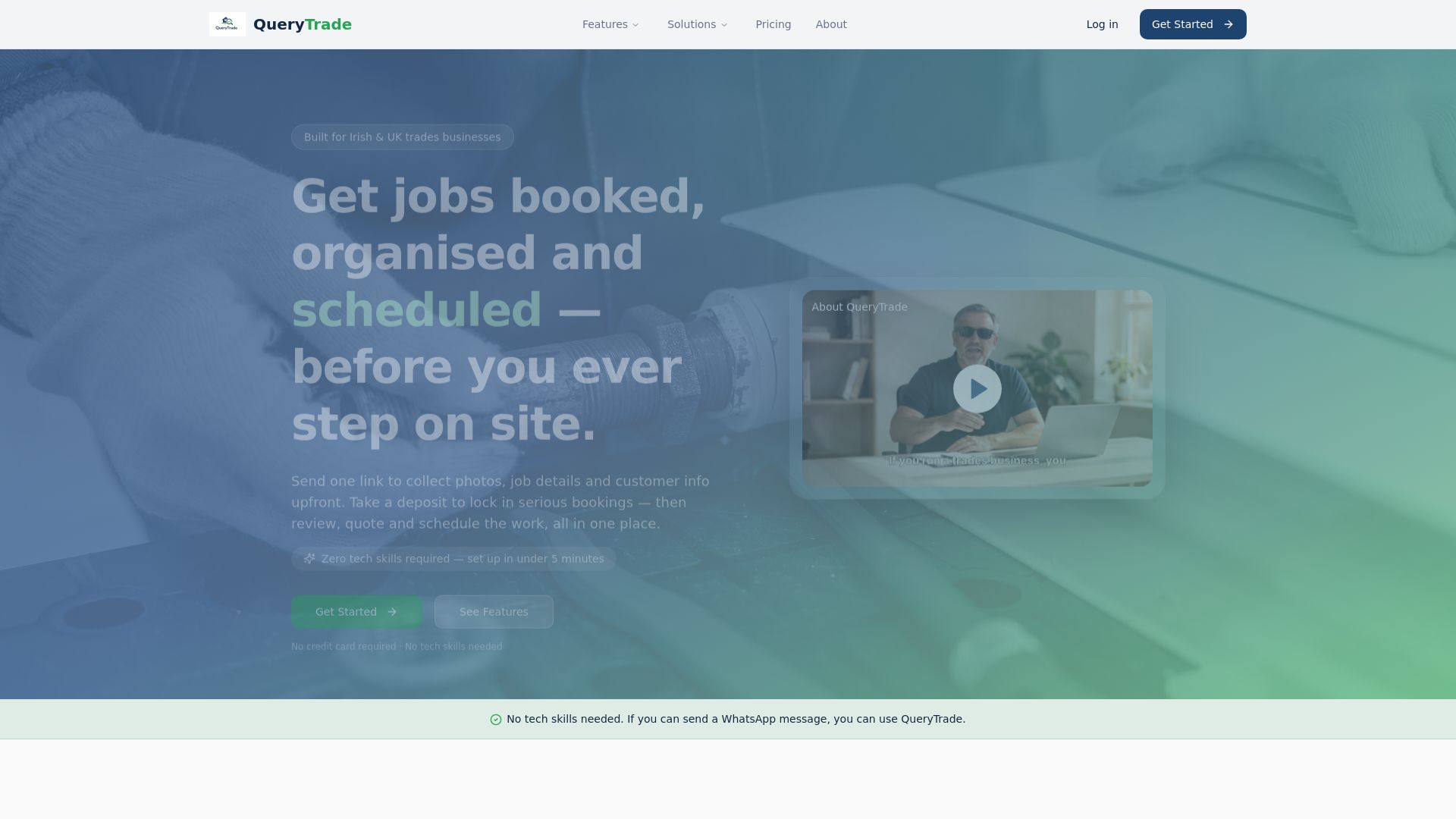
Instead of copying job details out of a chat thread, QueryTrade gives you a shareable intake form that captures job type, address, photos, and availability upfront, then drops every enquiry straight into a job pipeline you can actually see. You'll also get auto-reply templates that confirm receipt the moment someone submits, so no customer wonders if their message went into a void.
Setup takes under five minutes, with no code required, and you can try it free for 30 days before committing to a subscription. If you're a plumber, electrician, carpenter, or builder tired of chasing job details across three different chat threads, start your free trial today and see your next enquiry land somewhere you can actually manage it.
Frequently Asked Questions
Can I create a form inside WhatsApp itself? No. WhatsApp doesn't support native forms. What you're actually building is a link or a third-party flow that delivers structured data to your WhatsApp number, whether that's a basic wa.me link or a dedicated form service.
Do I need the WhatsApp Business API to use a wa.me link? No. A standard wa.me link works with a regular WhatsApp or WhatsApp Business account. The Business API is a separate, more complex product aimed at larger companies running automated messaging at scale.
How do I share a Google Form on WhatsApp? Paste the Google Form link directly into a WhatsApp message, or point the form's confirmation page to a wa.me link so the customer finishes by sending you a message with a summary of their answers.
Why does my WhatsApp survey link not open on desktop? Desktop browsers route wa.me links through WhatsApp Web, which requires the customer to be logged in there. If they're not, the link may fail silently, so always test on both mobile and desktop before sharing widely.
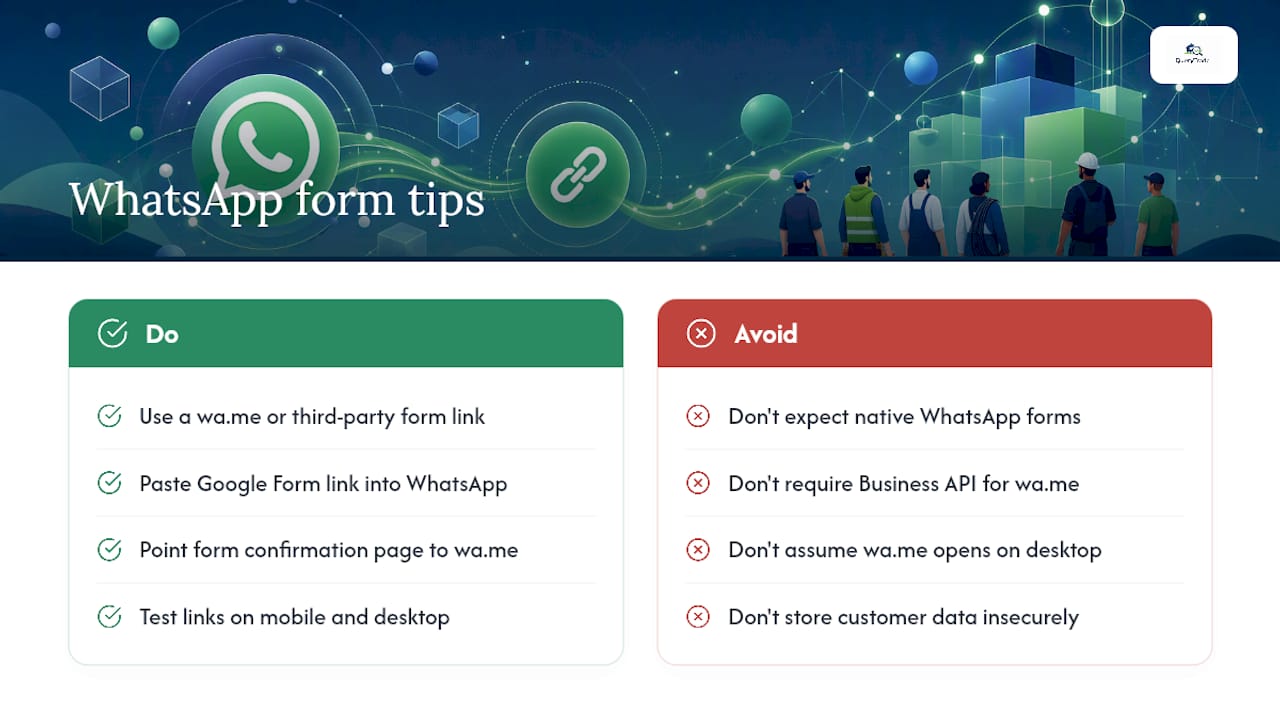
Is it safe to collect customer details through a WhatsApp-linked form? Treat any address, phone number, or job photo the same as you would any other customer data: don't store it insecurely, and be clear about why you're asking. A dedicated intake tool keeps submissions in one dashboard rather than scattered across personal chat history.
Sources
- How to use click to chat - WhatsApp FAQ
- How to create website form with WhatsApp click to chat link — Stack Overflow
- General enquiries | University of Edinburgh
- Ask Us A Question | University College Cork